BT.RedirectManager
1.2.32
See the version list below for details.
dotnet add package BT.RedirectManager --version 1.2.32
NuGet\Install-Package BT.RedirectManager -Version 1.2.32
<PackageReference Include="BT.RedirectManager" Version="1.2.32" />
<PackageVersion Include="BT.RedirectManager" Version="1.2.32" />
<PackageReference Include="BT.RedirectManager" />
paket add BT.RedirectManager --version 1.2.32
#r "nuget: BT.RedirectManager, 1.2.32"
#:package BT.RedirectManager@1.2.32
#addin nuget:?package=BT.RedirectManager&version=1.2.32
#tool nuget:?package=BT.RedirectManager&version=1.2.32
Bitiz Redirect Manager
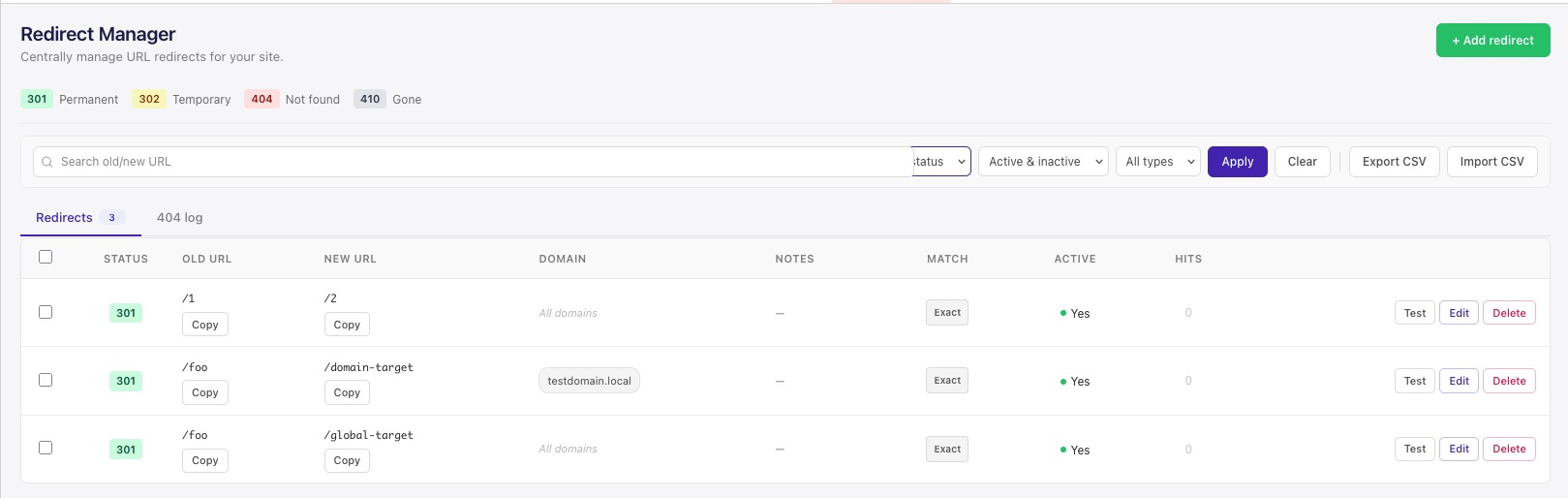
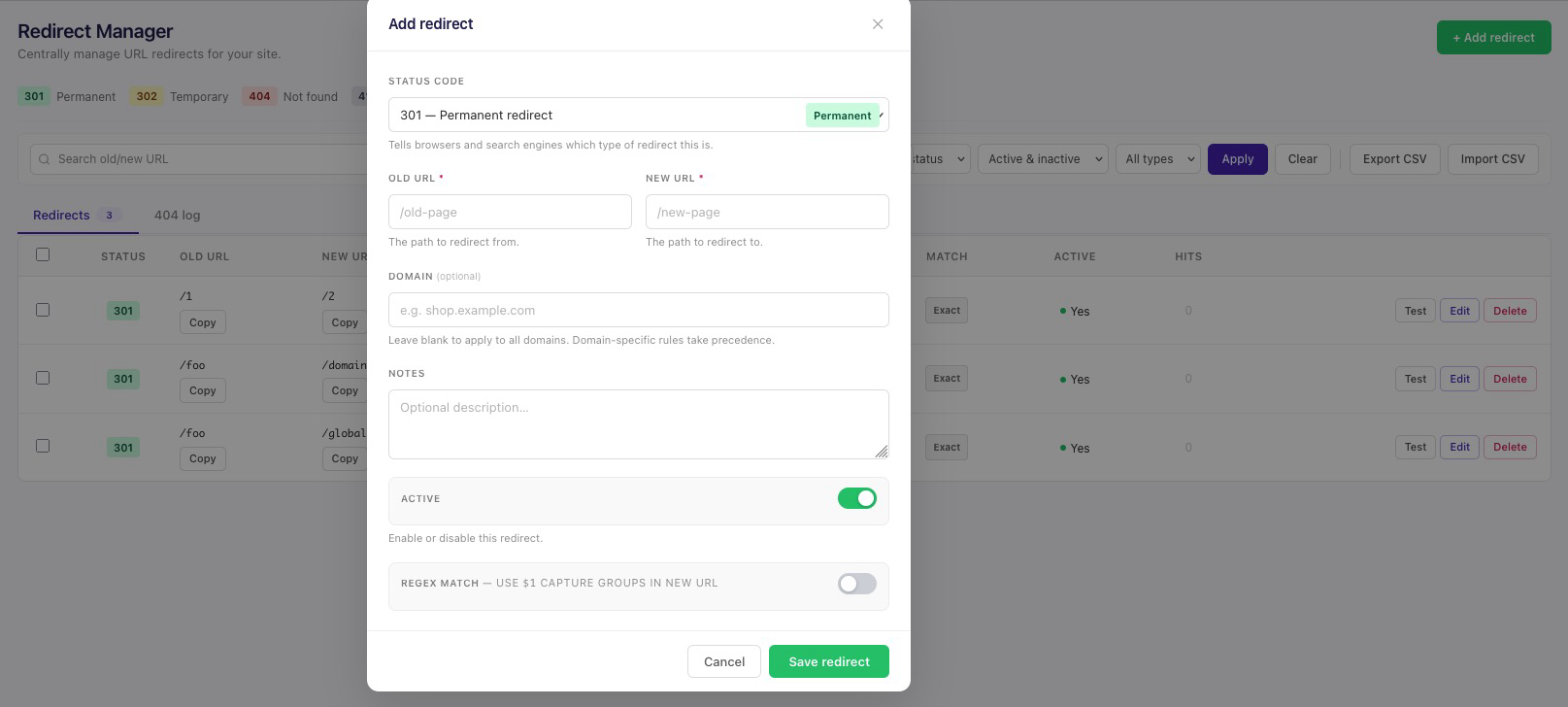
A URL redirect manager plugin for Umbraco CMS 13 and 17. Manage 301, 302, 404, and 410 redirects directly from the Umbraco backoffice with a modern dashboard, CSV import/export, regex support, and a built-in test tool.
Screenshots
Features
- Multiple status codes: 301 (Permanent), 302 (Temporary), 404 (Not Found), and 410 (Gone).
- Modern backoffice dashboard: Clean Umbraco 17 dashboard built with Lit; search, filter, and bulk actions.
- Regex and exact match: Support for both exact path redirects and regex rules with capture groups.
- CSV import/export: Quickly migrate or bulk edit redirects via CSV.
- Test tool: Test a path before saving to see which redirect will match.
- Database storage: Redirects stored in a dedicated table, fully controlled from the backoffice.
- Automatic migration: Database table created/updated automatically on installation.
- Auto-update App_Plugins: App_Plugins assets are copied on build via the included MSBuild targets.
Installation
Docker ile kendi NuGet sunucunuz (önerilen)
Kendi NuGet sunucunuzu Docker’da çalıştırıp plugini oraya atar, istediğiniz projede dotnet add package BT.RedirectManager ile kurarsınız.
- NuGet sunucusunu başlatın:
docker compose -f docker/docker-compose.yml up -d - Plugini sunucuya gönderin:
./scripts/push-to-feed.sh(Windows:.\scripts\push-to-feed.ps1) - Kurulum yapacağınız projenin solution klasörüne
nuget.configekleyin (nuget.config.exampleörneğine bakın; feed:http://localhost:5555/v3/index.json) - Projede:
dotnet add package BT.RedirectManager→dotnet build
Detaylı adımlar: docs/NUGET-SUNUCU-VE-KURULUM.md
From NuGet.org
dotnet add package BT.RedirectManager
Or via NuGet Package Manager:
Install-Package BT.RedirectManager
NuGet sunucusu / yerel feed: Paketi kendi projelerinize dotnet add package ile kurma seçenekleri (yerel klasör, nuget.org, özel BaGet sunucusu) için bkz. docs/NUGET-SUNUCU-VE-KURULUM.md.
Local Installation (Development)
- Clone the repository:
git clone https://github.com/batuhanilgarr/Umbraco-RedirectManager.git
- Build the package:
cd Umbraco-RedirectManager
dotnet build
- Add
nuget.configto your solution folder:
<?xml version="1.0" encoding="utf-8"?>
<configuration>
  <packageSources>
    <add key="nuget.org" value="https://api.nuget.org/v3/index.json" />
    <add key="LocalFeed" value="/path/to/Umbraco-RedirectManager/bin/Debug/" />
  </packageSources>
</configuration>
- Add the package to your project:
dotnet add package BT.RedirectManager
- Build your project (App_Plugins files will be copied automatically):
dotnet build
Usage
- Install the package.
- Restart your Umbraco application.
- Navigate to the Settings section in the Umbraco backoffice.
- Open the Redirect Manager dashboard.
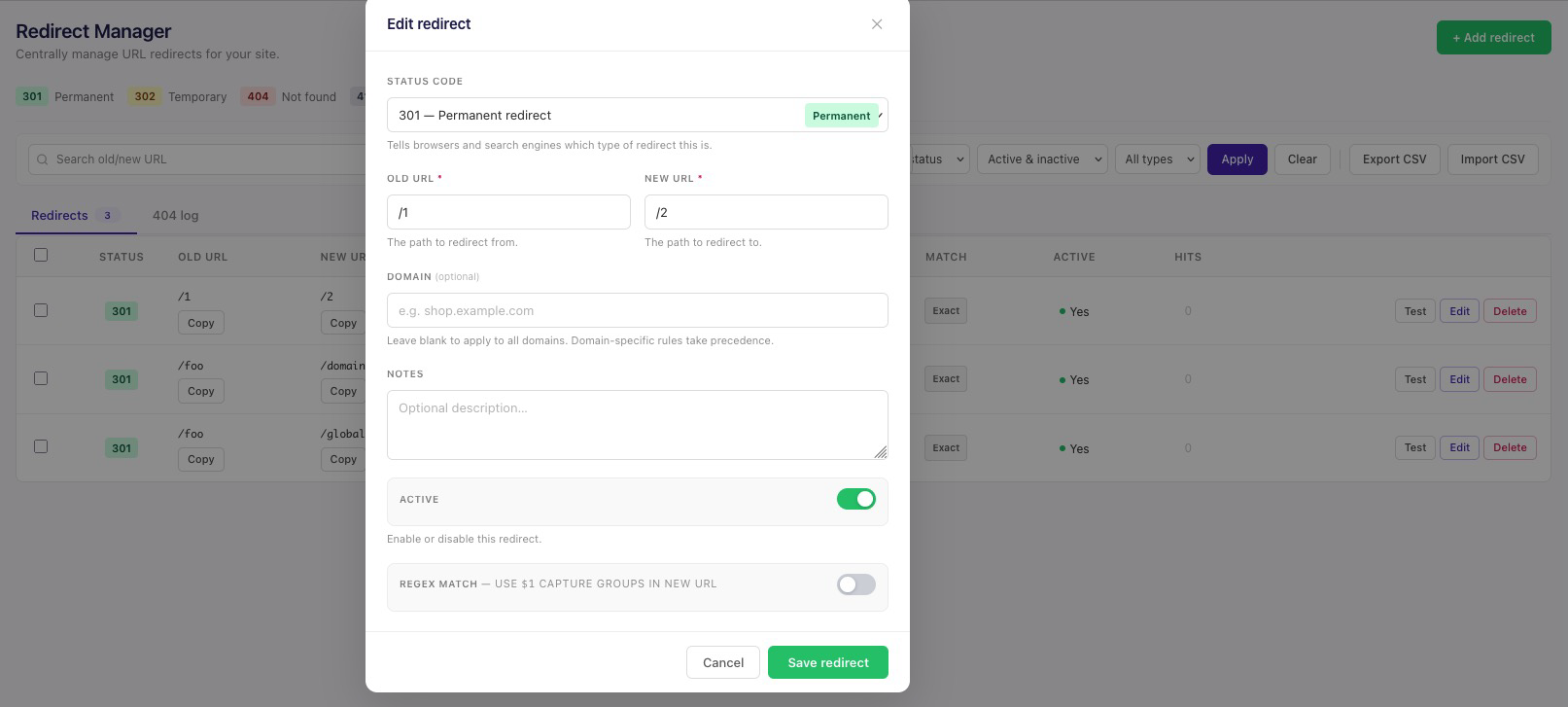
- Add, edit, test, or delete redirects as needed, or import/export CSV files for bulk changes.
Status Codes
| Code | Description |
|---|---|
| 301 | Permanent Redirect - Use when a page has permanently moved |
| 302 | Temporary Redirect - Use when a page has temporarily moved |
| 404 | Not Found - Returns a 404 error for the URL |
| 410 | Gone - Indicates the resource is permanently gone |
Configuration
No additional configuration required. The plugin works out of the box.
Database
The plugin creates a table called RedirectManagerEntries with the following structure:
Id(int, PK)OldUrl(nvarchar)NewUrl(nvarchar, nullable)StatusCode(int)CreatedDate(datetime)UpdatedDate(datetime)IsActive(bit)
License
MIT License
Contributing
Contributions are welcome! Please feel free to submit a Pull Request.
Optional: To avoid Co-authored-by: Cursor in commit messages (e.g. when using Cursor IDE), install the prepare-commit-msg hook:
cp scripts/prepare-commit-msg.sample .git/hooks/prepare-commit-msg && chmod +x .git/hooks/prepare-commit-msg
| Product | Versions Compatible and additional computed target framework versions. |
|---|---|
| .NET | net8.0 is compatible. net8.0-android was computed. net8.0-browser was computed. net8.0-ios was computed. net8.0-maccatalyst was computed. net8.0-macos was computed. net8.0-tvos was computed. net8.0-windows was computed. net9.0 was computed. net9.0-android was computed. net9.0-browser was computed. net9.0-ios was computed. net9.0-maccatalyst was computed. net9.0-macos was computed. net9.0-tvos was computed. net9.0-windows was computed. net10.0 is compatible. net10.0-android was computed. net10.0-browser was computed. net10.0-ios was computed. net10.0-maccatalyst was computed. net10.0-macos was computed. net10.0-tvos was computed. net10.0-windows was computed. |
-
net10.0
- Umbraco.Cms (>= 17.1.0)
- Umbraco.Cms.Infrastructure (>= 17.1.0)
-
net8.0
- Umbraco.Cms (>= 13.9.2)
- Umbraco.Cms.Infrastructure (>= 13.9.2)
NuGet packages
This package is not used by any NuGet packages.
GitHub repositories
This package is not used by any popular GitHub repositories.
| Version | Downloads | Last Updated |
|---|---|---|
| 1.10.2 | 89 | 8/21/2026 |
| 1.10.1 | 97 | 8/17/2026 |
| 1.10.0 | 92 | 8/17/2026 |
| 1.9.1 | 137 | 7/28/2026 |
| 1.9.0 | 185 | 7/22/2026 |
| 1.8.1 | 125 | 7/13/2026 |
| 1.8.0 | 100 | 7/13/2026 |
| 1.7.0 | 105 | 7/9/2026 |
| 1.6.0 | 109 | 7/9/2026 |
| 1.5.0 | 113 | 7/8/2026 |
| 1.4.0 | 111 | 7/8/2026 |
| 1.3.1 | 124 | 7/2/2026 |
| 1.2.33 | 117 | 7/1/2026 |
| 1.2.32 | 154 | 6/10/2026 |
| 1.2.31 | 126 | 6/10/2026 |