VisioForge.DotNet.VideoCapture
2026.11.23
dotnet add package VisioForge.DotNet.VideoCapture --version 2026.11.23
NuGet\Install-Package VisioForge.DotNet.VideoCapture -Version 2026.11.23
<PackageReference Include="VisioForge.DotNet.VideoCapture" Version="2026.11.23" />
<PackageVersion Include="VisioForge.DotNet.VideoCapture" Version="2026.11.23" />
<PackageReference Include="VisioForge.DotNet.VideoCapture" />
paket add VisioForge.DotNet.VideoCapture --version 2026.11.23
#r "nuget: VisioForge.DotNet.VideoCapture, 2026.11.23"
#:package VisioForge.DotNet.VideoCapture@2026.11.23
#addin nuget:?package=VisioForge.DotNet.VideoCapture&version=2026.11.23
#tool nuget:?package=VisioForge.DotNet.VideoCapture&version=2026.11.23
VisioForge Video Capture SDK .Net NuGet package
Capture, record and stream video and audio from webcams, IP cameras, screens and capture cards in .NET. Full walkthrough: Video Capture SDK Quick Start.
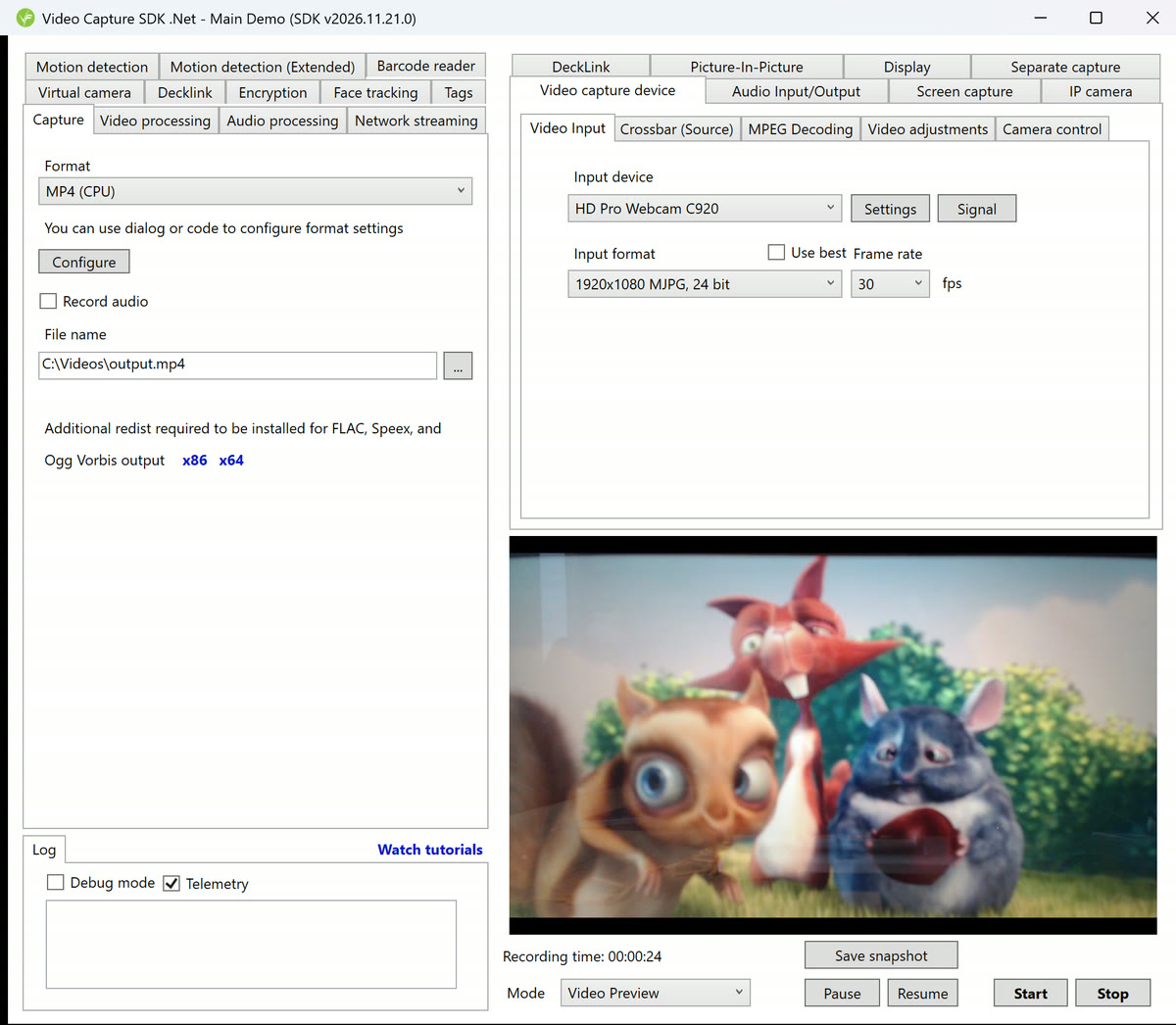
Video on the screen: Big Buck Bunny, © 2008 Blender Foundation, peach.blender.org, licensed under CC BY 3.0.
Quick start (WPF, Windows x64)
1. Install the packages
This package holds the managed API. The cross-platform engine, VideoCaptureCoreX, also needs the native runtime packages for your platform:
dotnet add package VisioForge.DotNet.VideoCapture
dotnet add package VisioForge.CrossPlatform.Core.Windows.x64
dotnet add package VisioForge.CrossPlatform.Libav.Windows.x64
On macOS use VisioForge.CrossPlatform.Core.macOS instead of the two Windows packages. On Linux use VisioForge.CrossPlatform.Core.Linux.x64 (or VisioForge.CrossPlatform.Core.Linux.arm64) instead, and install the distribution's GStreamer 1.22+ packages (Ubuntu guide).
The cross-platform deployment guide lists every platform's packages.
The other UI frameworks (WinForms, MAUI, Avalonia, WinUI, Uno) are covered in the installation guide.
The Windows-only DirectShow engine, VideoCaptureCore, uses the VisioForge.DotNet.Core.Redist.* packages instead — see deployment.
2. Add a video view
<Window ...
        xmlns:vf="clr-namespace:VisioForge.Core.UI.WPF;assembly=VisioForge.Core">
    <vf:VideoView x:Name="VideoView1" Background="Black" />
</Window>
3. Record the webcam to MP4
The using directives go at the top of MainWindow.xaml.cs; the rest runs from an async event handler, such as the window's Loaded event. When the stop lines run from another handler (a Stop button), keep capture in a field. Call VisioForgeX.DestroySDK() once when the app exits, after every capture has been stopped and disposed, for example in the window's Closed event.
using VisioForge.Core;
using VisioForge.Core.Types.X.Output;
using VisioForge.Core.Types.X.Sources;
using VisioForge.Core.VideoCaptureX;

await VisioForgeX.InitSDKAsync();

var capture = new VideoCaptureCoreX(VideoView1);
var camera = (await DeviceEnumerator.Shared.VideoSourcesAsync())[0];
var mic = (await DeviceEnumerator.Shared.AudioSourcesAsync())[0];

capture.Video_Source = new VideoCaptureDeviceSourceSettings(camera);
capture.Audio_Source = mic.CreateSourceSettingsVC();
capture.Audio_Record = true;
capture.Outputs_Add(new MP4Output("recording.mp4"));

// With a purchased license, call SetLicenseCertificateAsync here (see "Trial and licensing")
await capture.StartAsync();
// ...
await capture.StopAsync();
await capture.DisposeAsync();
More
AI coding assistants
Connect your assistant to the VisioForge MCP server for API lookups, code examples and deployment guides:
claude mcp add --transport http visioforge-sdk https://mcp.visioforge.com/mcp
Other clients (Visual Studio, VS Code, Cursor): MCP server guide. The documentation is also on Context7 as /visioforge/help.
Trial and licensing
Without a license the SDK runs as a 30-day trial. Buy a license.
A purchase gives you a .vflicense certificate file, not a key. Load it into every capture instance before StartAsync(). The code below reads it from the app's folder: add your.vflicense to the project and set its Copy to Output Directory property in Visual Studio:
var licensePath = System.IO.Path.Combine(System.AppContext.BaseDirectory, "your.vflicense");
await capture.SetLicenseCertificateAsync(System.IO.File.ReadAllBytes(licensePath));
See Licensing for details.
| Product | Versions Compatible and additional computed target framework versions. |
|---|---|
| .NET | net5.0 is compatible. net5.0-windows was computed. net5.0-windows7.0 is compatible. net6.0 is compatible. net6.0-android was computed. net6.0-ios was computed. net6.0-maccatalyst was computed. net6.0-macos was computed. net6.0-tvos was computed. net6.0-windows was computed. net6.0-windows7.0 is compatible. net7.0 is compatible. net7.0-android was computed. net7.0-ios was computed. net7.0-maccatalyst was computed. net7.0-macos was computed. net7.0-tvos was computed. net7.0-windows was computed. net7.0-windows7.0 is compatible. net7.0-windows10.0.19041 is compatible. net8.0 is compatible. net8.0-android was computed. net8.0-browser was computed. net8.0-ios was computed. net8.0-maccatalyst was computed. net8.0-macos was computed. net8.0-tvos was computed. net8.0-windows was computed. net8.0-windows7.0 is compatible. net8.0-windows10.0.19041 is compatible. net9.0 is compatible. net9.0-android was computed. net9.0-browser was computed. net9.0-ios was computed. net9.0-maccatalyst was computed. net9.0-macos was computed. net9.0-tvos was computed. net9.0-windows was computed. net9.0-windows7.0 is compatible. net9.0-windows10.0.19041 is compatible. net10.0 is compatible. net10.0-android was computed. net10.0-android36.0 is compatible. net10.0-browser was computed. net10.0-ios was computed. net10.0-ios26.0 is compatible. net10.0-maccatalyst was computed. net10.0-maccatalyst26.0 is compatible. net10.0-macos was computed. net10.0-macos26.0 is compatible. net10.0-tvos was computed. net10.0-windows was computed. net10.0-windows7.0 is compatible. net10.0-windows10.0.19041 is compatible. net11.0 is compatible. net11.0-android37.0 is compatible. net11.0-ios27.2 is compatible. net11.0-maccatalyst27.2 is compatible. net11.0-macos27.2 is compatible. net11.0-windows7.0 is compatible. net11.0-windows10.0.19041 is compatible. |
| .NET Core | netcoreapp3.1 is compatible. |
| .NET Framework | net461 is compatible. net462 was computed. net463 was computed. net47 was computed. net471 was computed. net472 is compatible. net48 was computed. net481 was computed. |
-
.NETCoreApp 3.1
- Serilog (>= 4.3.1)
- Serilog.Sinks.Debug (>= 3.0.0)
- Serilog.Sinks.File (>= 7.0.0)
- SkiaSharp (>= 3.119.4)
- SkiaSharp.NativeAssets.Linux (>= 3.119.4)
- System.Drawing.Common (>= 6.0.0)
- System.Formats.Asn1 (>= 6.0.1)
- System.Management (>= 6.0.2)
- System.Security.Cryptography.Pkcs (>= 6.0.5)
- System.Security.Cryptography.Xml (>= 6.0.2)
- System.ServiceModel.Http (>= 4.10.3)
- System.ServiceModel.Primitives (>= 4.10.3)
- System.Text.Encoding.CodePages (>= 6.0.1)
- System.Text.Json (>= 6.0.11)
- VisioForge.DotNet.Core (= 2026.11.23)
- VisioForge.Libs.External (= 2026.11.7)
-
.NETFramework 4.6.1
- NAudio.Core (>= 2.3.0)
- NAudio.Wasapi (>= 2.3.0)
- NAudio.WinMM (>= 2.3.0)
- Serilog (>= 4.3.1)
- Serilog.Sinks.Debug (>= 3.0.0)
- Serilog.Sinks.File (>= 7.0.0)
- SkiaSharp (>= 3.119.4)
- SkiaSharp.Views.Desktop.Common (>= 3.119.4)
- System.Buffers (>= 4.6.1)
- System.Drawing.Common (>= 6.0.0)
- System.Memory (>= 4.6.3)
- System.Runtime.CompilerServices.Unsafe (>= 6.1.2)
- System.Security.Cryptography.Pkcs (>= 6.0.5)
- System.Security.Cryptography.Xml (>= 6.0.2)
- System.ServiceModel.Http (>= 4.10.3)
- System.ServiceModel.Primitives (>= 4.10.3)
- System.Text.Json (>= 6.0.11)
- VisioForge.DotNet.Core (= 2026.11.23)
- VisioForge.Libs.External (= 2026.11.7)
-
.NETFramework 4.7.2
- NAudio.Core (>= 2.3.0)
- NAudio.Wasapi (>= 2.3.0)
- NAudio.WinMM (>= 2.3.0)
- Serilog (>= 4.3.1)
- Serilog.Sinks.Debug (>= 3.0.0)
- Serilog.Sinks.File (>= 7.0.0)
- SkiaSharp (>= 3.119.4)
- SkiaSharp.Views.Desktop.Common (>= 3.119.4)
- Svg.Skia (>= 5.1.1)
- System.Buffers (>= 4.6.1)
- System.Drawing.Common (>= 6.0.0)
- System.Formats.Asn1 (>= 10.0.13)
- System.Memory (>= 4.6.3)
- System.Numerics.Vectors (>= 4.6.1)
- System.Runtime.CompilerServices.Unsafe (>= 6.1.2)
- System.Security.Cryptography.Pkcs (>= 10.0.13)
- System.Security.Cryptography.Xml (>= 10.0.13)
- System.ServiceModel.Http (>= 4.10.3)
- System.ServiceModel.Primitives (>= 4.10.3)
- System.Text.Json (>= 6.0.11)
- VisioForge.DotNet.Core (= 2026.11.23)
- VisioForge.Libs.External (= 2026.11.7)
-
net10.0
- Serilog (>= 4.3.1)
- Serilog.Sinks.Debug (>= 3.0.0)
- Serilog.Sinks.File (>= 7.0.0)
- SkiaSharp (>= 3.119.4)
- SkiaSharp.NativeAssets.Linux (>= 3.119.4)
- System.Security.Cryptography.Pkcs (>= 10.0.13)
- System.Security.Cryptography.Xml (>= 10.0.13)
- System.ServiceModel.Http (>= 8.1.2)
- System.ServiceModel.Primitives (>= 8.1.2)
- System.Text.Encoding.CodePages (>= 10.0.6)
- VisioForge.DotNet.Core (= 2026.11.23)
- VisioForge.Libs.External (= 2026.11.7)
-
net10.0-android36.0
- Serilog (>= 4.3.1)
- Serilog.Sinks.Debug (>= 3.0.0)
- Serilog.Sinks.File (>= 7.0.0)
- SkiaSharp (>= 3.119.4)
- SkiaSharp.Views (>= 3.119.4)
- System.Security.Cryptography.Pkcs (>= 10.0.13)
- System.Security.Cryptography.Xml (>= 10.0.13)
- System.ServiceModel.Http (>= 8.1.2)
- System.ServiceModel.Primitives (>= 8.1.2)
- System.Text.Encoding.CodePages (>= 10.0.6)
- VisioForge.DotNet.Core (= 2026.11.23)
- VisioForge.Libs.External (= 2026.11.7)
-
net10.0-ios26.0
- Serilog (>= 4.3.1)
- Serilog.Sinks.Debug (>= 3.0.0)
- Serilog.Sinks.File (>= 7.0.0)
- SkiaSharp (>= 3.119.4)
- SkiaSharp.Views (>= 3.119.4)
- System.Security.Cryptography.Pkcs (>= 10.0.13)
- System.Security.Cryptography.Xml (>= 10.0.13)
- System.ServiceModel.Http (>= 8.1.2)
- System.ServiceModel.Primitives (>= 8.1.2)
- System.Text.Encoding.CodePages (>= 10.0.6)
- VisioForge.DotNet.Core (= 2026.11.23)
- VisioForge.Libs.External (= 2026.11.7)
-
net10.0-maccatalyst26.0
- Serilog (>= 4.3.1)
- Serilog.Sinks.Debug (>= 3.0.0)
- Serilog.Sinks.File (>= 7.0.0)
- SkiaSharp (>= 3.119.4)
- System.Security.Cryptography.Pkcs (>= 10.0.13)
- System.Security.Cryptography.Xml (>= 10.0.13)
- System.ServiceModel.Http (>= 8.1.2)
- System.ServiceModel.Primitives (>= 8.1.2)
- System.Text.Encoding.CodePages (>= 10.0.6)
- VisioForge.DotNet.Core (= 2026.11.23)
- VisioForge.Libs.External (= 2026.11.7)
-
net10.0-macos26.0
- Serilog (>= 4.3.1)
- Serilog.Sinks.Debug (>= 3.0.0)
- Serilog.Sinks.File (>= 7.0.0)
- SkiaSharp (>= 3.119.4)
- System.Security.Cryptography.Pkcs (>= 10.0.13)
- System.Security.Cryptography.Xml (>= 10.0.13)
- System.ServiceModel.Http (>= 8.1.2)
- System.ServiceModel.Primitives (>= 8.1.2)
- System.Text.Encoding.CodePages (>= 10.0.6)
- VisioForge.DotNet.Core (= 2026.11.23)
- VisioForge.Libs.External (= 2026.11.7)
-
net10.0-windows10.0.19041
- NAudio.Core (>= 2.3.0)
- NAudio.Wasapi (>= 2.3.0)
- NAudio.WinMM (>= 2.3.0)
- Serilog (>= 4.3.1)
- Serilog.Sinks.Debug (>= 3.0.0)
- Serilog.Sinks.File (>= 7.0.0)
- SkiaSharp (>= 3.119.4)
- SkiaSharp.Views.Desktop.Common (>= 3.119.4)
- Svg.Skia (>= 5.1.1)
- System.Drawing.Common (>= 10.0.6)
- System.Management (>= 10.0.6)
- System.Security.Cryptography.Pkcs (>= 10.0.13)
- System.Security.Cryptography.Xml (>= 10.0.13)
- System.ServiceModel.Http (>= 8.1.2)
- System.ServiceModel.Primitives (>= 8.1.2)
- System.Text.Encoding.CodePages (>= 10.0.6)
- VisioForge.DotNet.Core (= 2026.11.23)
- VisioForge.Libs.External (= 2026.11.7)
-
net10.0-windows7.0
- NAudio.Core (>= 2.3.0)
- NAudio.Wasapi (>= 2.3.0)
- NAudio.WinMM (>= 2.3.0)
- Serilog (>= 4.3.1)
- Serilog.Sinks.Debug (>= 3.0.0)
- Serilog.Sinks.File (>= 7.0.0)
- SkiaSharp (>= 3.119.4)
- SkiaSharp.Views.Desktop.Common (>= 3.119.4)
- Svg.Skia (>= 5.1.1)
- System.Drawing.Common (>= 10.0.6)
- System.Management (>= 10.0.6)
- System.Security.Cryptography.Pkcs (>= 10.0.13)
- System.Security.Cryptography.Xml (>= 10.0.13)
- System.ServiceModel.Http (>= 8.1.2)
- System.ServiceModel.Primitives (>= 8.1.2)
- System.Text.Encoding.CodePages (>= 10.0.6)
- VisioForge.DotNet.Core (= 2026.11.23)
- VisioForge.Libs.External (= 2026.11.7)
-
net11.0
- Serilog (>= 4.3.1)
- Serilog.Sinks.Debug (>= 3.0.0)
- Serilog.Sinks.File (>= 7.0.0)
- SkiaSharp (>= 3.119.4)
- SkiaSharp.NativeAssets.Linux (>= 3.119.4)
- System.Security.Cryptography.Pkcs (>= 10.0.13)
- System.Security.Cryptography.Xml (>= 10.0.13)
- System.ServiceModel.Http (>= 8.1.2)
- System.ServiceModel.Primitives (>= 8.1.2)
- System.Text.Encoding.CodePages (>= 10.0.6)
- VisioForge.DotNet.Core (= 2026.11.23)
- VisioForge.Libs.External (= 2026.11.7)
-
net11.0-android37.0
- Serilog (>= 4.3.1)
- Serilog.Sinks.Debug (>= 3.0.0)
- Serilog.Sinks.File (>= 7.0.0)
- SkiaSharp (>= 3.119.4)
- SkiaSharp.Views (>= 3.119.4)
- System.Security.Cryptography.Pkcs (>= 10.0.13)
- System.Security.Cryptography.Xml (>= 10.0.13)
- System.ServiceModel.Http (>= 8.1.2)
- System.ServiceModel.Primitives (>= 8.1.2)
- System.Text.Encoding.CodePages (>= 10.0.6)
- VisioForge.DotNet.Core (= 2026.11.23)
- VisioForge.Libs.External (= 2026.11.7)
-
net11.0-ios27.2
- Serilog (>= 4.3.1)
- Serilog.Sinks.Debug (>= 3.0.0)
- Serilog.Sinks.File (>= 7.0.0)
- SkiaSharp (>= 3.119.4)
- SkiaSharp.NativeAssets.iOS (>= 3.119.4)
- SkiaSharp.Views (>= 3.119.4)
- System.Security.Cryptography.Pkcs (>= 10.0.13)
- System.Security.Cryptography.Xml (>= 10.0.13)
- System.ServiceModel.Http (>= 8.1.2)
- System.ServiceModel.Primitives (>= 8.1.2)
- System.Text.Encoding.CodePages (>= 10.0.6)
- VisioForge.DotNet.Core (= 2026.11.23)
- VisioForge.Libs.External (= 2026.11.7)
-
net11.0-maccatalyst27.2
- Serilog (>= 4.3.1)
- Serilog.Sinks.Debug (>= 3.0.0)
- Serilog.Sinks.File (>= 7.0.0)
- SkiaSharp (>= 3.119.4)
- System.Security.Cryptography.Pkcs (>= 10.0.13)
- System.Security.Cryptography.Xml (>= 10.0.13)
- System.ServiceModel.Http (>= 8.1.2)
- System.ServiceModel.Primitives (>= 8.1.2)
- System.Text.Encoding.CodePages (>= 10.0.6)
- VisioForge.DotNet.Core (= 2026.11.23)
- VisioForge.Libs.External (= 2026.11.7)
-
net11.0-macos27.2
- Serilog (>= 4.3.1)
- Serilog.Sinks.Debug (>= 3.0.0)
- Serilog.Sinks.File (>= 7.0.0)
- SkiaSharp (>= 3.119.4)
- System.Security.Cryptography.Pkcs (>= 10.0.13)
- System.Security.Cryptography.Xml (>= 10.0.13)
- System.ServiceModel.Http (>= 8.1.2)
- System.ServiceModel.Primitives (>= 8.1.2)
- System.Text.Encoding.CodePages (>= 10.0.6)
- VisioForge.DotNet.Core (= 2026.11.23)
- VisioForge.Libs.External (= 2026.11.7)
-
net11.0-windows10.0.19041
- NAudio.Core (>= 2.3.0)
- NAudio.Wasapi (>= 2.3.0)
- NAudio.WinMM (>= 2.3.0)
- Serilog (>= 4.3.1)
- Serilog.Sinks.Debug (>= 3.0.0)
- Serilog.Sinks.File (>= 7.0.0)
- SkiaSharp (>= 3.119.4)
- SkiaSharp.Views.Desktop.Common (>= 3.119.4)
- Svg.Skia (>= 5.1.1)
- System.Drawing.Common (>= 10.0.6)
- System.Management (>= 10.0.6)
- System.Security.Cryptography.Pkcs (>= 10.0.13)
- System.Security.Cryptography.Xml (>= 10.0.13)
- System.ServiceModel.Http (>= 8.1.2)
- System.ServiceModel.Primitives (>= 8.1.2)
- System.Text.Encoding.CodePages (>= 10.0.6)
- VisioForge.DotNet.Core (= 2026.11.23)
- VisioForge.Libs.External (= 2026.11.7)
-
net11.0-windows7.0
- NAudio.Core (>= 2.3.0)
- NAudio.Wasapi (>= 2.3.0)
- NAudio.WinMM (>= 2.3.0)
- Serilog (>= 4.3.1)
- Serilog.Sinks.Debug (>= 3.0.0)
- Serilog.Sinks.File (>= 7.0.0)
- SkiaSharp (>= 3.119.4)
- SkiaSharp.Views.Desktop.Common (>= 3.119.4)
- Svg.Skia (>= 5.1.1)
- System.Drawing.Common (>= 10.0.6)
- System.Management (>= 10.0.6)
- System.Security.Cryptography.Pkcs (>= 10.0.13)
- System.Security.Cryptography.Xml (>= 10.0.13)
- System.ServiceModel.Http (>= 8.1.2)
- System.ServiceModel.Primitives (>= 8.1.2)
- System.Text.Encoding.CodePages (>= 10.0.6)
- VisioForge.DotNet.Core (= 2026.11.23)
- VisioForge.Libs.External (= 2026.11.7)
-
net5.0
- Serilog (>= 4.3.1)
- Serilog.Sinks.Debug (>= 3.0.0)
- Serilog.Sinks.File (>= 7.0.0)
- SkiaSharp (>= 3.119.4)
- SkiaSharp.NativeAssets.Linux (>= 3.119.4)
- System.Formats.Asn1 (>= 6.0.1)
- System.Security.Cryptography.Pkcs (>= 6.0.5)
- System.Security.Cryptography.Xml (>= 6.0.2)
- System.ServiceModel.Http (>= 4.10.3)
- System.ServiceModel.Primitives (>= 4.10.3)
- System.Text.Encoding.CodePages (>= 6.0.1)
- System.Text.Json (>= 6.0.11)
- VisioForge.DotNet.Core (= 2026.11.23)
- VisioForge.Libs.External (= 2026.11.7)
-
net5.0-windows7.0
- NAudio.Core (>= 2.3.0)
- NAudio.Wasapi (>= 2.3.0)
- NAudio.WinMM (>= 2.3.0)
- Serilog (>= 4.3.1)
- Serilog.Sinks.Debug (>= 3.0.0)
- Serilog.Sinks.File (>= 7.0.0)
- SkiaSharp (>= 3.119.4)
- SkiaSharp.Views.Desktop.Common (>= 3.119.4)
- Svg.Skia (>= 5.1.1)
- System.Drawing.Common (>= 6.0.0)
- System.Formats.Asn1 (>= 6.0.1)
- System.Management (>= 6.0.2)
- System.Security.Cryptography.Pkcs (>= 6.0.5)
- System.Security.Cryptography.Xml (>= 6.0.2)
- System.ServiceModel.Http (>= 4.10.3)
- System.ServiceModel.Primitives (>= 4.10.3)
- System.Text.Encoding.CodePages (>= 6.0.1)
- System.Text.Json (>= 6.0.11)
- VisioForge.DotNet.Core (= 2026.11.23)
- VisioForge.Libs.External (= 2026.11.7)
-
net6.0
- Serilog (>= 4.3.1)
- Serilog.Sinks.Debug (>= 3.0.0)
- Serilog.Sinks.File (>= 7.0.0)
- SkiaSharp (>= 3.119.4)
- SkiaSharp.NativeAssets.Linux (>= 3.119.4)
- System.Formats.Asn1 (>= 8.0.2)
- System.Security.Cryptography.Pkcs (>= 8.0.2)
- System.Security.Cryptography.Xml (>= 8.0.5)
- System.ServiceModel.Http (>= 6.2.0)
- System.ServiceModel.Primitives (>= 6.2.0)
- System.Text.Encoding.CodePages (>= 8.0.0)
- VisioForge.DotNet.Core (= 2026.11.23)
- VisioForge.Libs.External (= 2026.11.7)
-
net6.0-windows7.0
- NAudio.Core (>= 2.3.0)
- NAudio.Wasapi (>= 2.3.0)
- NAudio.WinMM (>= 2.3.0)
- Serilog (>= 4.3.1)
- Serilog.Sinks.Debug (>= 3.0.0)
- Serilog.Sinks.File (>= 7.0.0)
- SkiaSharp (>= 3.119.4)
- SkiaSharp.Views.Desktop.Common (>= 3.119.4)
- Svg.Skia (>= 5.1.1)
- System.Drawing.Common (>= 6.0.0)
- System.Formats.Asn1 (>= 8.0.2)
- System.Management (>= 6.0.2)
- System.Security.Cryptography.Pkcs (>= 8.0.2)
- System.Security.Cryptography.Xml (>= 8.0.5)
- System.ServiceModel.Http (>= 6.2.0)
- System.ServiceModel.Primitives (>= 6.2.0)
- System.Text.Encoding.CodePages (>= 8.0.0)
- VisioForge.DotNet.Core (= 2026.11.23)
- VisioForge.Libs.External (= 2026.11.7)
-
net7.0
- Serilog (>= 4.3.1)
- Serilog.Sinks.Debug (>= 3.0.0)
- Serilog.Sinks.File (>= 7.0.0)
- SkiaSharp (>= 3.119.4)
- SkiaSharp.NativeAssets.Linux (>= 3.119.4)
- System.Formats.Asn1 (>= 8.0.2)
- System.Security.Cryptography.Pkcs (>= 8.0.2)
- System.Security.Cryptography.Xml (>= 8.0.5)
- System.ServiceModel.Http (>= 6.2.0)
- System.ServiceModel.Primitives (>= 6.2.0)
- System.Text.Encoding.CodePages (>= 8.0.0)
- VisioForge.DotNet.Core (= 2026.11.23)
- VisioForge.Libs.External (= 2026.11.7)
-
net7.0-windows10.0.19041
- NAudio.Core (>= 2.3.0)
- NAudio.Wasapi (>= 2.3.0)
- NAudio.WinMM (>= 2.3.0)
- Serilog (>= 4.3.1)
- Serilog.Sinks.Debug (>= 3.0.0)
- Serilog.Sinks.File (>= 7.0.0)
- SkiaSharp (>= 3.119.4)
- SkiaSharp.Views.Desktop.Common (>= 3.119.4)
- Svg.Skia (>= 5.1.1)
- System.Drawing.Common (>= 8.0.26)
- System.Formats.Asn1 (>= 8.0.2)
- System.Management (>= 8.0.0)
- System.Security.Cryptography.Pkcs (>= 8.0.2)
- System.Security.Cryptography.Xml (>= 8.0.5)
- System.ServiceModel.Http (>= 6.2.0)
- System.ServiceModel.Primitives (>= 6.2.0)
- System.Text.Encoding.CodePages (>= 8.0.0)
- VisioForge.DotNet.Core (= 2026.11.23)
- VisioForge.Libs.External (= 2026.11.7)
-
net7.0-windows7.0
- NAudio.Core (>= 2.3.0)
- NAudio.Wasapi (>= 2.3.0)
- NAudio.WinMM (>= 2.3.0)
- Serilog (>= 4.3.1)
- Serilog.Sinks.Debug (>= 3.0.0)
- Serilog.Sinks.File (>= 7.0.0)
- SkiaSharp (>= 3.119.4)
- SkiaSharp.Views.Desktop.Common (>= 3.119.4)
- Svg.Skia (>= 5.1.1)
- System.Drawing.Common (>= 8.0.26)
- System.Formats.Asn1 (>= 8.0.2)
- System.Management (>= 8.0.0)
- System.Security.Cryptography.Pkcs (>= 8.0.2)
- System.Security.Cryptography.Xml (>= 8.0.5)
- System.ServiceModel.Http (>= 6.2.0)
- System.ServiceModel.Primitives (>= 6.2.0)
- System.Text.Encoding.CodePages (>= 8.0.0)
- VisioForge.DotNet.Core (= 2026.11.23)
- VisioForge.Libs.External (= 2026.11.7)
-
net8.0
- Serilog (>= 4.3.1)
- Serilog.Sinks.Debug (>= 3.0.0)
- Serilog.Sinks.File (>= 7.0.0)
- SkiaSharp (>= 3.119.4)
- SkiaSharp.NativeAssets.Linux (>= 3.119.4)
- System.Security.Cryptography.Pkcs (>= 8.0.2)
- System.Security.Cryptography.Xml (>= 8.0.5)
- System.ServiceModel.Http (>= 8.1.2)
- System.ServiceModel.Primitives (>= 8.1.2)
- System.Text.Encoding.CodePages (>= 10.0.6)
- VisioForge.DotNet.Core (= 2026.11.23)
- VisioForge.Libs.External (= 2026.11.7)
-
net8.0-windows10.0.19041
- NAudio.Core (>= 2.3.0)
- NAudio.Wasapi (>= 2.3.0)
- NAudio.WinMM (>= 2.3.0)
- Serilog (>= 4.3.1)
- Serilog.Sinks.Debug (>= 3.0.0)
- Serilog.Sinks.File (>= 7.0.0)
- SkiaSharp (>= 3.119.4)
- SkiaSharp.Views.Desktop.Common (>= 3.119.4)
- Svg.Skia (>= 5.1.1)
- System.Drawing.Common (>= 8.0.26)
- System.Management (>= 8.0.0)
- System.Security.Cryptography.Pkcs (>= 8.0.2)
- System.Security.Cryptography.Xml (>= 8.0.5)
- System.ServiceModel.Http (>= 8.1.2)
- System.ServiceModel.Primitives (>= 8.1.2)
- System.Text.Encoding.CodePages (>= 10.0.6)
- VisioForge.DotNet.Core (= 2026.11.23)
- VisioForge.Libs.External (= 2026.11.7)
-
net8.0-windows7.0
- NAudio.Core (>= 2.3.0)
- NAudio.Wasapi (>= 2.3.0)
- NAudio.WinMM (>= 2.3.0)
- Serilog (>= 4.3.1)
- Serilog.Sinks.Debug (>= 3.0.0)
- Serilog.Sinks.File (>= 7.0.0)
- SkiaSharp (>= 3.119.4)
- SkiaSharp.Views.Desktop.Common (>= 3.119.4)
- Svg.Skia (>= 5.1.1)
- System.Drawing.Common (>= 8.0.26)
- System.Management (>= 8.0.0)
- System.Security.Cryptography.Pkcs (>= 8.0.2)
- System.Security.Cryptography.Xml (>= 8.0.5)
- System.ServiceModel.Http (>= 8.1.2)
- System.ServiceModel.Primitives (>= 8.1.2)
- System.Text.Encoding.CodePages (>= 10.0.6)
- VisioForge.DotNet.Core (= 2026.11.23)
- VisioForge.Libs.External (= 2026.11.7)
-
net9.0
- Serilog (>= 4.3.1)
- Serilog.Sinks.Debug (>= 3.0.0)
- Serilog.Sinks.File (>= 7.0.0)
- SkiaSharp (>= 3.119.4)
- SkiaSharp.NativeAssets.Linux (>= 3.119.4)
- System.Security.Cryptography.Pkcs (>= 9.0.21)
- System.Security.Cryptography.Xml (>= 9.0.21)
- System.ServiceModel.Http (>= 8.1.2)
- System.ServiceModel.Primitives (>= 8.1.2)
- System.Text.Encoding.CodePages (>= 10.0.6)
- VisioForge.DotNet.Core (= 2026.11.23)
- VisioForge.Libs.External (= 2026.11.7)
-
net9.0-windows10.0.19041
- NAudio.Core (>= 2.3.0)
- NAudio.Wasapi (>= 2.3.0)
- NAudio.WinMM (>= 2.3.0)
- Serilog (>= 4.3.1)
- Serilog.Sinks.Debug (>= 3.0.0)
- Serilog.Sinks.File (>= 7.0.0)
- SkiaSharp (>= 3.119.4)
- SkiaSharp.Views.Desktop.Common (>= 3.119.4)
- Svg.Skia (>= 5.1.1)
- System.Drawing.Common (>= 9.0.15)
- System.Management (>= 8.0.0)
- System.Security.Cryptography.Pkcs (>= 9.0.21)
- System.Security.Cryptography.Xml (>= 9.0.21)
- System.ServiceModel.Http (>= 8.1.2)
- System.ServiceModel.Primitives (>= 8.1.2)
- System.Text.Encoding.CodePages (>= 10.0.6)
- VisioForge.DotNet.Core (= 2026.11.23)
- VisioForge.Libs.External (= 2026.11.7)
-
net9.0-windows7.0
- NAudio.Core (>= 2.3.0)
- NAudio.Wasapi (>= 2.3.0)
- NAudio.WinMM (>= 2.3.0)
- Serilog (>= 4.3.1)
- Serilog.Sinks.Debug (>= 3.0.0)
- Serilog.Sinks.File (>= 7.0.0)
- SkiaSharp (>= 3.119.4)
- SkiaSharp.Views.Desktop.Common (>= 3.119.4)
- Svg.Skia (>= 5.1.1)
- System.Drawing.Common (>= 9.0.15)
- System.Management (>= 8.0.0)
- System.Security.Cryptography.Pkcs (>= 9.0.21)
- System.Security.Cryptography.Xml (>= 9.0.21)
- System.ServiceModel.Http (>= 8.1.2)
- System.ServiceModel.Primitives (>= 8.1.2)
- System.Text.Encoding.CodePages (>= 10.0.6)
- VisioForge.DotNet.Core (= 2026.11.23)
- VisioForge.Libs.External (= 2026.11.7)
NuGet packages
This package is not used by any NuGet packages.
GitHub repositories
This package is not used by any popular GitHub repositories.
| Version | Downloads | Last Updated |
|---|---|---|
| 2026.11.23 | 99 | 11/23/2026 |
| 2026.11.21 | 133 | 11/22/2026 |
| 2026.11.20 | 133 | 11/20/2026 |
| 2026.11.16 | 194 | 11/16/2026 |
| 2026.11.13 | 128 | 11/13/2026 |
| 2026.11.12 | 155 | 11/12/2026 |
| 2026.11.6 | 214 | 11/6/2026 |
| 2026.10.28 | 258 | 10/29/2026 |
| 2026.10.26 | 128 | 10/26/2026 |
| 2026.10.20 | 175 | 10/20/2026 |
| 2026.10.15 | 137 | 10/15/2026 |
| 2026.10.14 | 124 | 10/14/2026 |
| 2026.10.10 | 141 | 10/10/2026 |
| 2026.10.9 | 120 | 10/9/2026 |
| 2026.10.6 | 166 | 10/6/2026 |
| 2026.10.2 | 127 | 10/2/2026 |
| 2026.10.1 | 116 | 10/1/2026 |
| 2026.9.22 | 157 | 9/22/2026 |
| 2026.9.17 | 184 | 9/17/2026 |
| 2026.9.11 | 152 | 9/11/2026 |
* [Core] Added: projects created from the VisioForge project templates include an `.mcp.json` that connects Claude Code and Visual Studio to the VisioForge MCP server (`https://mcp.visioforge.com/mcp`) for API lookups and code examples; delete the file if you do not use an AI coding assistant.
* [Core] Fixed: `SimplePlayerCoreX.Debug_SavePipeline` now writes the pipeline graph to `<name>.dot` in `Debug_Dir`, with credentials masked; it used to write nothing and report no error.
* [Demos] Added: WHEP Player Demo (WPF), a minimal low-latency WebRTC player on `WHEPSourceBlock` (about 70–95 ms glass to glass from MediaMTX on a local network), and `barcode-webcam-short-console`, a console sample that reads QR codes and barcodes from the first webcam with `BarcodeDetectorBlock` and prints each new code once.
* [Media Blocks SDK .NET] Added: `VST3AudioBlock` runs a VST® 3 audio effect plug-in installed on the machine (reverb, compressor, equalizer, noise reduction) in the audio path, with its latency compensated. Its parameters can be listed, read and set before and during playback (`GetParameters`, `SetParameter`), and its settings saved and restored as a `.vstpreset` (`GetState`, `SetState`). Windows x64, macOS and Linux x64, in the `VisioForge.CrossPlatform.Core.Windows.Adds.x64`, `.macOS.Adds` and `.Linux.Adds.x64` packages; no plug-in is bundled. VST is a registered trademark of Steinberg Media Technologies GmbH.
* [Media Blocks SDK .NET] Added: `WHEPServerSinkBlock` takes audio. Connect raw audio to the new `AudioInput` (an IP camera's AAC or G.711 decoded by `DecodeBinBlock`) and every browser gets it as Opus beside the camera's H.264, which is still passed through; an RTSP camera served over WHEP used to play silent. `VideoInput` names the video input, the same pad as `Input`.
* [Media Blocks SDK .NET] Added: `WebRTCSinkBlock`, `WHIPSinkBlock`, `WHEPServerSinkBlock` and `WHEPSourceBlock` run on iOS, with `VisioForge.CrossPlatform.Core.iOS` 2026.11.23 or later; before, `IsAvailable()` returned `false` there.
* [Media Blocks SDK .NET] Added: `WebRTCSinkSettings.SignallingServerCertificate` and `SignallingServerKey` give the `WebRTCSinkBlock` signalling server a certificate, so a viewer page on your own `https://` site connects over `wss://`.
* [Media Blocks SDK .NET] Added: the OpenCV blocks (face, hand and motion detection, object tracking, template matching, video stabilization, the OpenCV filters) work on Windows on Arm (ARM64) with the new `VisioForge.CrossPlatform.OpenCV.Windows.arm64` package; before, every OpenCV block reported `IsAvailable() == false` in an ARM64 process.
* [Media Blocks SDK .NET] Added: a help page, "Webcam Preview and MP4 Recording", with a complete WPF app that shows a webcam and records it with the microphone to MP4 in one pipeline, with platform notes.
* [Media Blocks SDK .NET] [Video Capture SDK .NET] [Media Player SDK .NET] Changed: on iOS and Android, GStreamer no longer writes pipeline graph `.dot` files into the app's folders on its own. `Debug_SavePipeline` still saves a graph to `Debug_Dir` when called; an app that wants GStreamer's own dumps sets `GST_DEBUG_DUMP_DOT_DIR` before the SDK initializes.
* [Media Blocks SDK .NET] [Video Capture SDK .NET] Fixed: macOS screen capture ignored `ScreenCaptureMacOSSourceSettings.FrameRate` (always 30 fps), sized a monitor other than the main one from the main display, and with a `Rectangle` captured the wrong area on Retina and other HiDPI displays or was refused on a secondary display. `Rectangle` is now in the display's physical pixels, a rectangle that does not fit fails the start with an error, `UpdateLiveSettings` moves the area while the capture runs, and with no `Rectangle` the whole monitor `Monitor` selects is captured.
* [Media Blocks SDK .NET] [Video Capture SDK .NET] Fixed: a `SystemAudioSourceBlock` or a `VideoCaptureCoreX` audio source built from plain `AudioCaptureDeviceSourceSettings` - including WASAPI, WASAPI2, DirectSound and CoreAudio sources restored from a saved pipeline document - recorded the default microphone instead of the device it named, on Windows, macOS and Mac Catalyst. The named device is now opened.
* [Media Blocks SDK .NET] [Video Capture SDK .NET] Fixed: a WASAPI2 loopback (system sound) entry from `DeviceEnumerator.AudioSourcesAsync(AudioCaptureDeviceAPI.WASAPI2)` failed to start with `Could not open resource for reading and writing` or recorded the microphone. It now records what the output device plays and is not played back to the speakers by `Audio_Play`. The new `AudioCaptureDeviceInfo.IsLoopback` marks these entries, and on Linux the PulseAudio and PipeWire monitor sources, so filtering with `!IsLoopback` lists capture inputs only.
* [Media Blocks SDK .NET] [Video Capture SDK .NET] Fixed: an HLS output with `HLSSinkType.HlsCmafSink` named its fMP4 segments `segment_00000.ts` unless `Location` was set; the default is now `segment_%05d.m4s`. The SDK's built-in HTTP server for HLS and DASH output now serves `.m4s` and `.mp4` as `video/mp4` and the `.mpd` manifest as `application/dash+xml` instead of `application/octet-stream`, so players that check the content type accept them.
* [Media Blocks SDK .NET] Fixed: `WHEPSourceBlock` could not play a video-only stream from MediaMTX - the server refused the session with `codecs not supported by client`, even with `AudioEnabled = false`.
* [Media Blocks SDK .NET] Fixed: during `MediaBlocksPipeline.StopAsync()` or `SendEOS()`, a source's `Output.OnEOS` did not fire when the source fed a split MP4 output with an input that never received a stream, or when the source had reported an error.
* [Media Blocks SDK .NET] Fixed: on macOS, a `PushSourceBlock` lost the frames still queued in it when the pipeline was stopped before a VideoToolbox decoder elsewhere in the pipeline had put out a frame.
* [Media Player SDK .NET] [Video Capture SDK .NET] Added: the FFMPEG source engine can decode on the GPU with NVIDIA CUDA, Intel Quick Sync, Direct3D 11, DXVA2 copy-back or DXVA2 native, chosen with `MediaPlayerCore.Source_FFMPEG_HWDecoder` and `IPCameraSourceSettings.FFMPEG_HWDecoder` (new `FFMPEGHWDecoder`; DXVA2 native only in `MediaPlayerCore`). The default, `Auto`, keeps the current behaviour; a decoder the computer cannot run stops the start with `OnError` naming it and the reason.
* [Media Player SDK .NET] [Video Capture SDK .NET] Fixed: when playback or capture failed mid-stream (a decoder refusing the stream, a read error, a failing filter), `MediaPlayerCore` and `VideoCaptureCore` raised `OnError` but stayed in the `Play` state with a frozen picture. They now stop after `OnError` and raise `OnStop`, as a `Stop` call does, also with `Loop` on, and do not move on to the next playlist file; an abort while `Play()` or `Start()` is still starting makes it return `false`. An `OnError` handler that stops or restarts playback itself keeps working as before.
* [Media Player SDK .NET] Fixed: `MediaPlayerCore` with `Source_Mode = MediaPlayerSourceMode.FFMPEG` or `CustomSource` kept opening a file or stream the source failed to load, and then failed with an unrelated error or played nothing; it now stops and reports the load failure through `OnError`, as does a broken or mismatched FFMPEG, LAV or VLC source filter install. Opening with the FFMPEG source no longer blocks the calling thread for an extra 200 ms, and Play no longer hangs with its DXVA2 decoding when the video renderer offers another DXVA2 surface type first.
* [Video Capture SDK .NET] Fixed: with the FFMPEG source engine, an `analyzeduration` set in `IPCameraSourceSettings.FFMPEG_CustomOptions` was ignored; it is now applied. By default a stream is still analysed for up to the load timeout; `FFMPEG_CustomOptions["analyzeduration"] = "1000000"` (one second, in microseconds) shows the first frame of an RTSP or RTMP camera about a second sooner.
* [Video Capture SDK .NET] Fixed: `VideoCaptureCore.IP_Camera_CheckAvailable` reported an online IP camera as offline when its host name resolved to an IPv6 address first, failed for any IPv6 `IPAddress`, and could block well past its timeout while the host name was looked up. Every resolved address is now tried within the timeout, which covers the lookup; a URL with an IPv6 zone id (`rtsp://[fe80::1%2512]/`) reaches the camera; `Timeout.InfiniteTimeSpan` waits without a limit; a UDP check and a negative timeout return `false` with an `OnError` message naming the reason.
* [Video Capture SDK .NET] [Media Player SDK .NET] [Video Edit SDK .NET] [Media Blocks SDK .NET] Changed: the trial watermark has a new, calmer look - an orange "TRIAL" tag with visioforge.com/buy in the top-left corner in place of the red "UNREGISTERED" text - and names the edition the features in use require; it used to read "STANDARD EDITION" even while recording MP4. In Media Blocks pipelines and `VideoEditCoreX` it sits on a translucent dark band and keeps the same share of the frame from 360p to 4K; `VideoCaptureCoreX`, `MediaPlayerCoreX`, `VideoCaptureCore`, `MediaPlayerCore` and `VideoEditCore` draw it as a small fixed-size block.
* [Video Edit SDK .NET] [Media Player SDK .NET] [Video Capture SDK .NET] [Media Blocks SDK .NET] Fixed: on macOS, Mac Catalyst and iOS, stopping a pipeline that decoded video with the VideoToolbox hardware decoder could now and then never return - seen as a `VideoEditCoreX.Stop()` that hung during preview.
* [NuGet] Fixed: after installing a `VisioForge.DotNet.Core.Redist.*` package, its native `.dll` and `.ax` files (and an `x64`/`x86` folder) appeared in the root of the project in Visual Studio's Solution Explorer; they are now hidden and still copied to the output folder. Packages released separately (`Redist.Shared`, `Redist.VideoFingerprinting`, `VisioForge.CrossPlatform.*`, `VisioForge.FaceAI.Models`) get the same fix with their next version.
* [Windows] Changed: the SDK installer sends our server one short report when an install finishes, fails or is cancelled: the outcome and the installer version, nothing else, silent installs included. Run the installer with `INSTALLREPORT=0` (for example `setup.exe /exenoui /qn INSTALLREPORT=0`) to turn it off. The unused third-party installer analytics component was removed.
* [Windows] Fixed: a Release build of the MF Mux filter said nothing about the Media Foundation H.264 or HEVC encoder rejecting a picture wider than 1920 or taller than 1080 unless the application registered an error callback; the reason now also goes to the debug output.