SpeedoMeter.WinForms
1.1.0
dotnet add package SpeedoMeter.WinForms --version 1.1.0
NuGet\Install-Package SpeedoMeter.WinForms -Version 1.1.0
<PackageReference Include="SpeedoMeter.WinForms" Version="1.1.0" />
<PackageVersion Include="SpeedoMeter.WinForms" Version="1.1.0" />
<PackageReference Include="SpeedoMeter.WinForms" />
paket add SpeedoMeter.WinForms --version 1.1.0
#r "nuget: SpeedoMeter.WinForms, 1.1.0"
#:package SpeedoMeter.WinForms@1.1.0
#addin nuget:?package=SpeedoMeter.WinForms&version=1.1.0
#tool nuget:?package=SpeedoMeter.WinForms&version=1.1.0
🏎️ SpeedoMeter for Windows Forms



A professional-grade, hardware-accelerated Radial Gauge & Speedometer UI Control library for Windows Forms. Perfect for automotive dashboards, SCADA setups, telemetry tracking, and real-time metric visualization.
✨ Key Features
- 🚀 Zero Dependencies: Pure C# implementation utilizing optimized native GDI+ rendering.
- ⚡ Hardware Accelerated: Built-in double-buffering protects against frame tearing and flickering.
- 🎨 25+ Needle Presets: Includes vintage pointers, modern sleek arrows, and glowing sci-fi indicators.
- 🚦 Multi-Phase Status Zones: Easy parameterization for safe, warning, and critical range limits.
- 🛠️ Full Designer Integration: Seamless integration into the Visual Studio Property Grid.
📦 Installation
Install the package via your preferred development terminal tool:
.NET CLI
dotnet add package SpeedoMeter.WinForms
Package Manager
Install-Package SpeedoMeter.WinForms
PackageReference
<PackageReference Include="SpeedoMeter.WinForms" Version="1.1.0" />
🚀 Quick Start Guide
1. Visual Studio Designer
- Install the NuGet package in your target project environment.
- Rebuild your workspace structure (
Ctrl + Shift + B). - Drag the
SpeedometerControltool directly out of your Visual Studio Toolbox onto your form.
2. Programmatic Setup Example
using System.Drawing;
using System.Windows.Forms;
using SpeedoMeter;

public partial class MainForm : Form
{
    public MainForm()
    {
        InitializeComponent();

        var gauge = new SpeedometerControl
        {
            Location = new Point(20, 20),
            Size = new Size(300, 300),

            // Value Range Definition
            MinValue = 0f,
            MaxValue = 220f,
            Value = 65f,
            UnitLabel = "km/h",

            // Needle Matrix Customization
            NeedleStyle = NeedleStyle.ModernSleek,
            NeedleColor1 = Color.Red,
            NeedleColor2 = Color.DarkRed,

            // Zone Guard Configuration
            ZoneGreenEndValue = 100f,
            ZoneRedStartValue = 160f
        };

        this.Controls.Add(gauge);
    }
}
🎨 Needle Style Portfolio (NeedleStyle)
Change the layout design of your application gauge instantly by applying one of these supported enum values:
- 🛰️ Modern collection:
ModernIndicator,ModernThin,ModernBlocky,ModernSleek,ModernCutout,ModernDualLine - 🛩️ Classic & Aviation:
ClassicTapered,ClassicWide,VintageAviator,VintageThinWithTail,VintageArtDeco,VintageCrescentTail - 🏹 Tactical & Sci-Fi:
Arrowhead,Broadhead,CrossbowBolt,Harpoon,SciFiArrow,SciFiDataSpike,EnergyBlade - 🔱 Ornate variants:
OrnateDiamond,OrnateSpearTip,OrnateSword,OrnateFleurDeLis,CompassNorth,AnchorTail,SimplePin
⚙️ Core Configuration Properties
🧩 1. Value Tracking Mechanics
Value(float): The current target index point on the display.MinValue(float): The bottom scale floor baseline.MaxValue(float): The upper structural ceiling endpoint.UnitLabel(string): Text overlay directly underneath the numeric metrics (e.g., "km/h").
📐 2. Geometric Layout Parameters
ScaleStartAngle(float): Mapping origin offset angle expressed in degrees (Default: 135).ScaleSweepAngle(float): Total length span of the circular tracking scale track (Default: 270).GaugePadding(int): Outer margin buffer separating the control bounding frame from layout assets.ValuePosition(PointF): Focused alignment parameters specifying coordinates for text strings.
🚥 3. Threshold Range Indicators
ZoneGreenEndValue(float): Target split boundary marking where the green zone gives way to yellow.ZoneRedStartValue(float): Scale tracking milestone where warnings elevate into red alerts.ZoneGreenColor(Color): Hex or system paint value applied inside your application's safe operational ranges.ZoneRedColor(Color): Accent palette bound directly to emergency display status tracking zones.
🏗️ Internal Paint Sequence Pipeline
The library relies on a property-drawn layout engine. The background script sequentially computes your layouts from back-to-front within an isolated OnPaint routine loop:
DrawOuterShadow()- Drops an ambient background alpha layer.DrawFace()- Generates your base underlying gradient fill.DrawBezel()- Renders a distinct 3D exterior containment frame.DrawInnerBezelShadow()- Distributes edge shade parameters for visual immersion.DrawZones()- Computes safe vs hazardous sector arcs across your track map.DrawTicks()- Places reference step marks along with scale strings.DrawNeedle()- Applies your active layout calculations for tracking lines.DrawValueLabel()- Centers high-contrast data numbers underneath indicators.DrawGlassEffect()- Places a distinct ambient light reflect map over front faces.
🎯 Platform Compatibility Support
- Framework Architectures:
.NET Framework 4.6.2,4.7,4.8+ - Modern Environments:
.NET 6.0-windows,.NET 8.0-windows(and future frameworks)
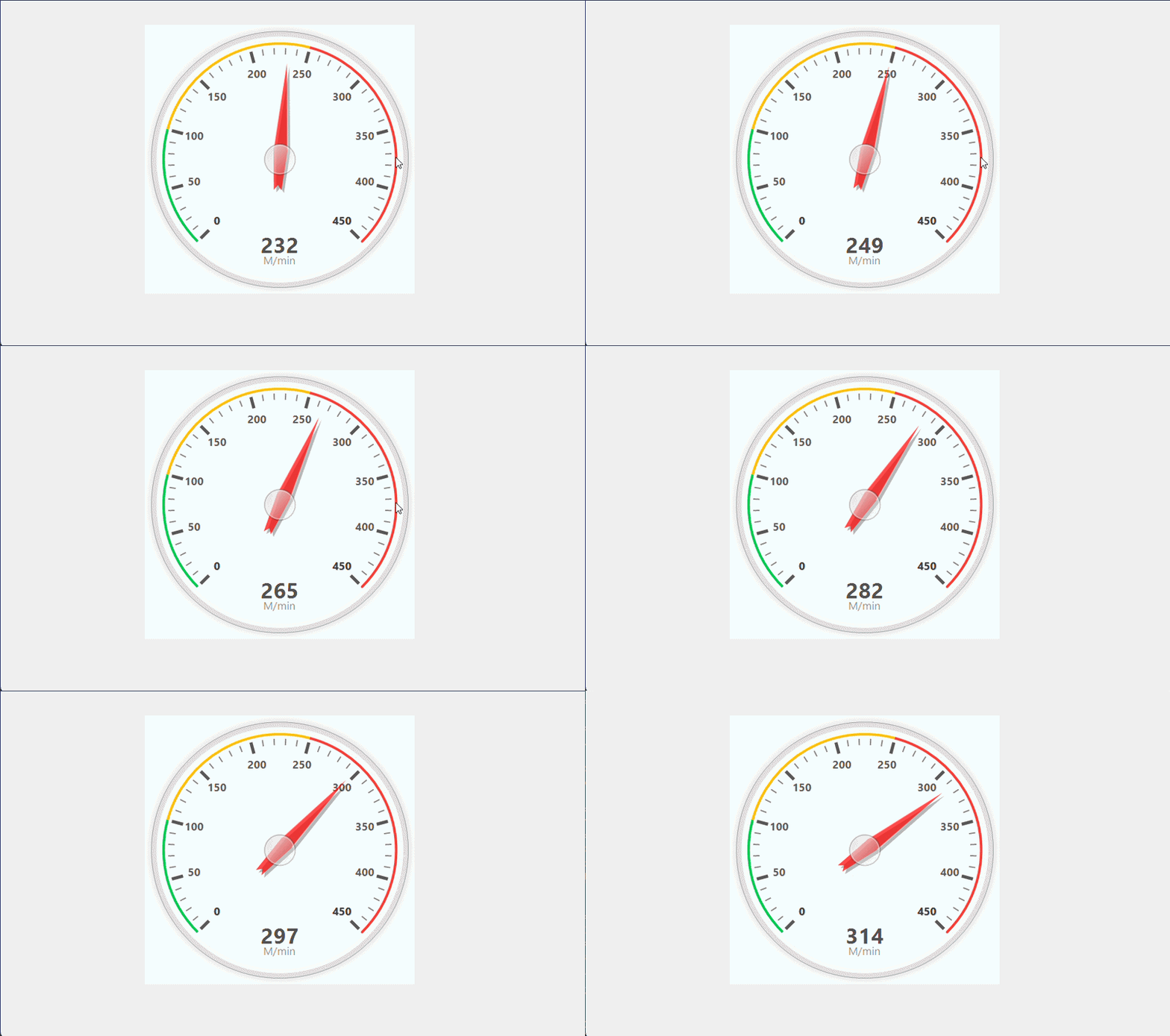
📸 Preview
🔗 Resources & Project Links
- Repository Tree: GitHub Main Repository
- Ticket Pipelines: Bug Reports & Core Feature Requests
- License Matrix: Protected under standard open-source parameters via the MIT Initiative Guidelines License.
Designed and built with absolute structural focus by the GRIT Engineering Team (Growth, Resilience, Intensity, Tenacity).
| Product | Versions Compatible and additional computed target framework versions. |
|---|---|
| .NET | net6.0-windows7.0 is compatible. net7.0-windows was computed. net8.0-windows was computed. net8.0-windows7.0 is compatible. net9.0-windows was computed. net10.0-windows was computed. |
| .NET Framework | net462 is compatible. net463 was computed. net47 was computed. net471 was computed. net472 was computed. net48 is compatible. net481 was computed. |
-
.NETFramework 4.6.2
- No dependencies.
-
.NETFramework 4.8
- No dependencies.
-
net6.0-windows7.0
- No dependencies.
-
net8.0-windows7.0
- No dependencies.
NuGet packages
This package is not used by any NuGet packages.
GitHub repositories
This package is not used by any popular GitHub repositories.
- Added multi-targeting support for .NET Framework 4.6.2 (net462).
- Reformatted codebase to standard Allman/C# conventions for improved maintainability.
- Updated NuGet package metadata and tags.