Umbraco.Community.PunkTwoFactor
18.3.2.12
dotnet add package Umbraco.Community.PunkTwoFactor --version 18.3.2.12
NuGet\Install-Package Umbraco.Community.PunkTwoFactor -Version 18.3.2.12
<PackageReference Include="Umbraco.Community.PunkTwoFactor" Version="18.3.2.12" />
<PackageVersion Include="Umbraco.Community.PunkTwoFactor" Version="18.3.2.12" />
<PackageReference Include="Umbraco.Community.PunkTwoFactor" />
paket add Umbraco.Community.PunkTwoFactor --version 18.3.2.12
#r "nuget: Umbraco.Community.PunkTwoFactor, 18.3.2.12"
#:package Umbraco.Community.PunkTwoFactor@18.3.2.12
#addin nuget:?package=Umbraco.Community.PunkTwoFactor&version=18.3.2.12
#tool nuget:?package=Umbraco.Community.PunkTwoFactor&version=18.3.2.12
PunkTwoFactor



Two-Factor Authentication (2FA) for Umbraco backoffice users.
This package adds standard TOTP authenticator app support (Google Authenticator, Microsoft Authenticator, 1Password, etc.) to the Umbraco backoffice. It registers itself automatically on startup via an Umbraco IComposer, with no code changes required.
Getting Started
Install the package from NuGet:
dotnet add package Umbraco.Community.PunkTwoFactor
Once installed, users can enable 2FA from their profile in the Umbraco backoffice:
- Log in to the Umbraco backoffice.
- Click your user avatar in the top-right corner and select Configure Two-Factor.
- Click Enable on Two Factor Authentication.
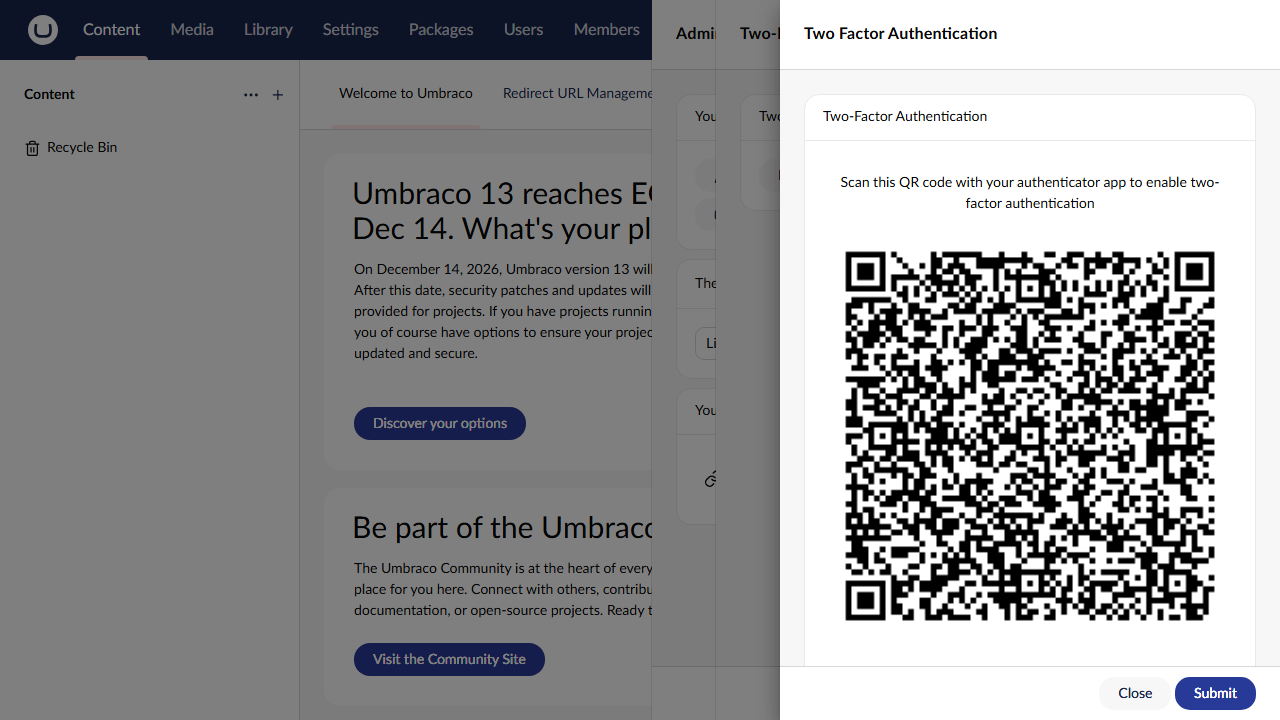
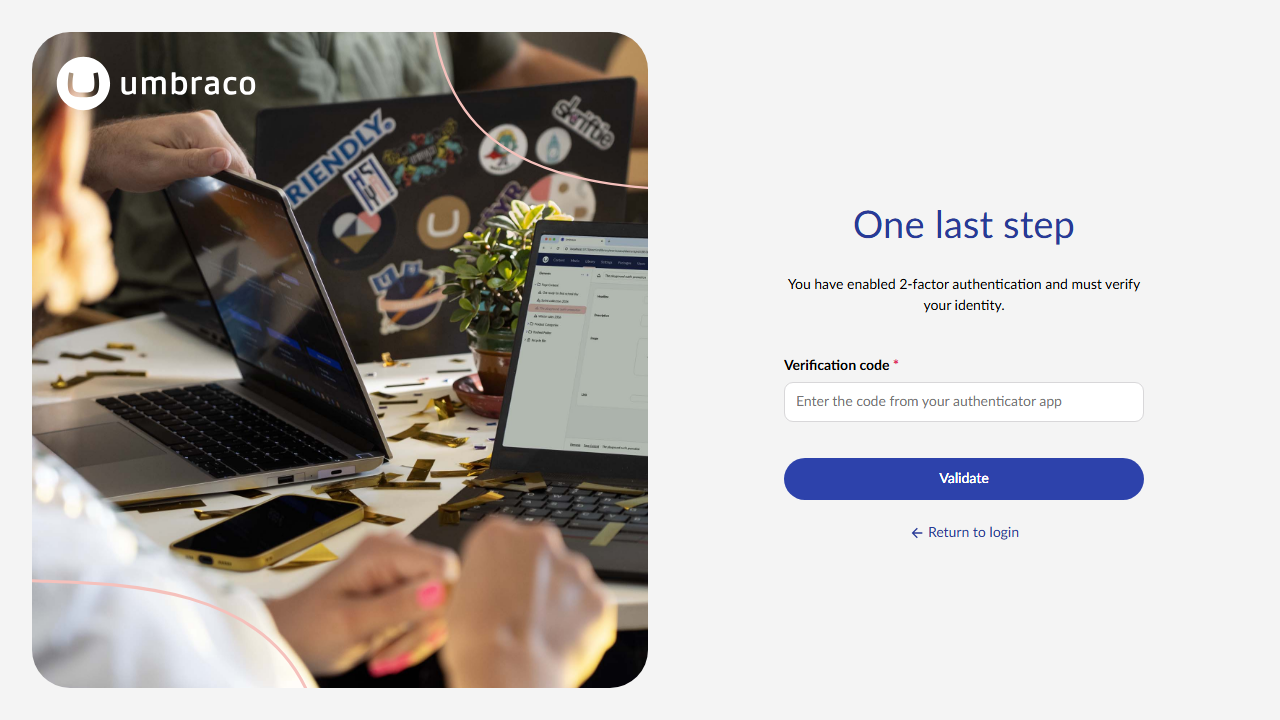
- Scan the QR code with your authenticator app and enter the 6-digit verification code.
Configuration
You can optionally configure Umbraco.Community.PunkTwoFactor via your appsettings.json file.
Custom Issuer & Provider Name
By default, the issuer name shown in authenticator apps is "Umbraco Two Factor Authentication". You can customize it in appsettings.json:
{
    "Umbraco.Community.PunkTwoFactor": {
        "Issuer": "garpunkal.dev",
        "ProviderName": "Two Factor Authentication"
    }
}
Force Two-Factor Authentication
By default, 2FA is opt-in per user. To require 2FA for all backoffice users, set ForceTwoFactor to true:
{
    "Umbraco.Community.PunkTwoFactor": {
        "ForceTwoFactor": true,
        "ExemptUserGroups": ["writer"]
    }
}
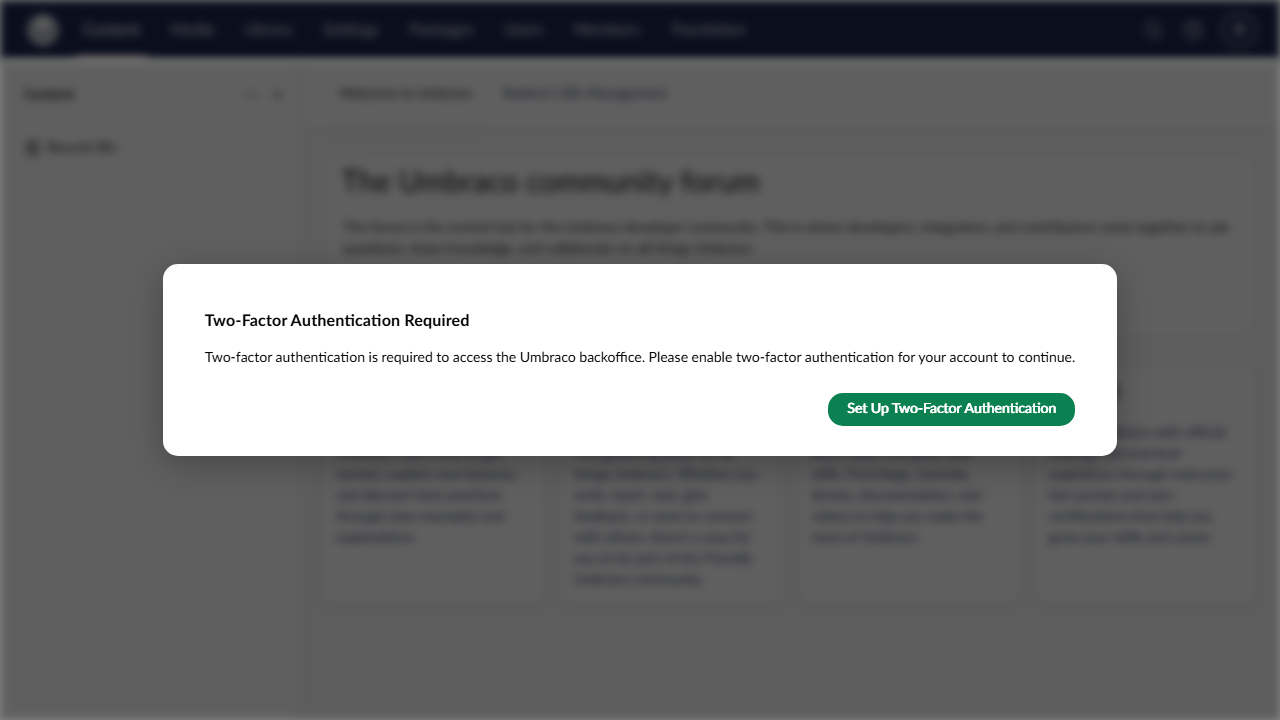
- Behavior: Users without 2FA enabled are prompted immediately on login with a "Two-Factor Authentication Required" dialog that takes them straight to QR code setup. Management API endpoints return
403 Forbiddenand the Disable button is hidden until 2FA is enabled. - Exemptions: Optionally list Umbraco user group aliases in
ExemptUserGroupsto exclude specific groups fromForceTwoFactor. - Live toggle: Changes to
ForceTwoFactorinappsettings.jsonare picked up automatically without restarting the site.
Compatibility
| Umbraco Version | .NET Target Framework |
|---|---|
| Umbraco 17 | .NET 10 (net10.0) |
| Umbraco 18 | .NET 10 (net10.0) |
Screenshots
Forced 2FA Prompt
QR Code Setup
2FA Login Verification
Disclaimer: Use this package at your own risk. It is provided "as is", without warranty of any kind. You are solely responsible for the security, configuration, and testing of your website and Umbraco installation.
| Product | Versions Compatible and additional computed target framework versions. |
|---|---|
| .NET | net10.0 is compatible. net10.0-android was computed. net10.0-browser was computed. net10.0-ios was computed. net10.0-maccatalyst was computed. net10.0-macos was computed. net10.0-tvos was computed. net10.0-windows was computed. |
-
net10.0
- GoogleAuthenticator (>= 3.2.0)
- Umbraco.Cms.Api.Management (>= 17.0.0 && < 19.0.0)
- Umbraco.Cms.Core (>= 17.0.0 && < 19.0.0)
- Umbraco.Cms.Web.Common (>= 17.0.0 && < 19.0.0)
- Umbraco.Cms.Web.Website (>= 17.0.0 && < 19.0.0)
NuGet packages
This package is not used by any NuGet packages.
GitHub repositories
This package is not used by any popular GitHub repositories.