Majorsoft.Blazor.Components.WASM.AppLoader
2.0.0
dotnet add package Majorsoft.Blazor.Components.WASM.AppLoader --version 2.0.0
NuGet\Install-Package Majorsoft.Blazor.Components.WASM.AppLoader -Version 2.0.0
<PackageReference Include="Majorsoft.Blazor.Components.WASM.AppLoader" Version="2.0.0" />
<PackageVersion Include="Majorsoft.Blazor.Components.WASM.AppLoader" Version="2.0.0" />
<PackageReference Include="Majorsoft.Blazor.Components.WASM.AppLoader" />
paket add Majorsoft.Blazor.Components.WASM.AppLoader --version 2.0.0
#r "nuget: Majorsoft.Blazor.Components.WASM.AppLoader, 2.0.0"
#:package Majorsoft.Blazor.Components.WASM.AppLoader@2.0.0
#addin nuget:?package=Majorsoft.Blazor.Components.WASM.AppLoader&version=2.0.0
#tool nuget:?package=Majorsoft.Blazor.Components.WASM.AppLoader&version=2.0.0
Blazor WASM AppLoader Components



About
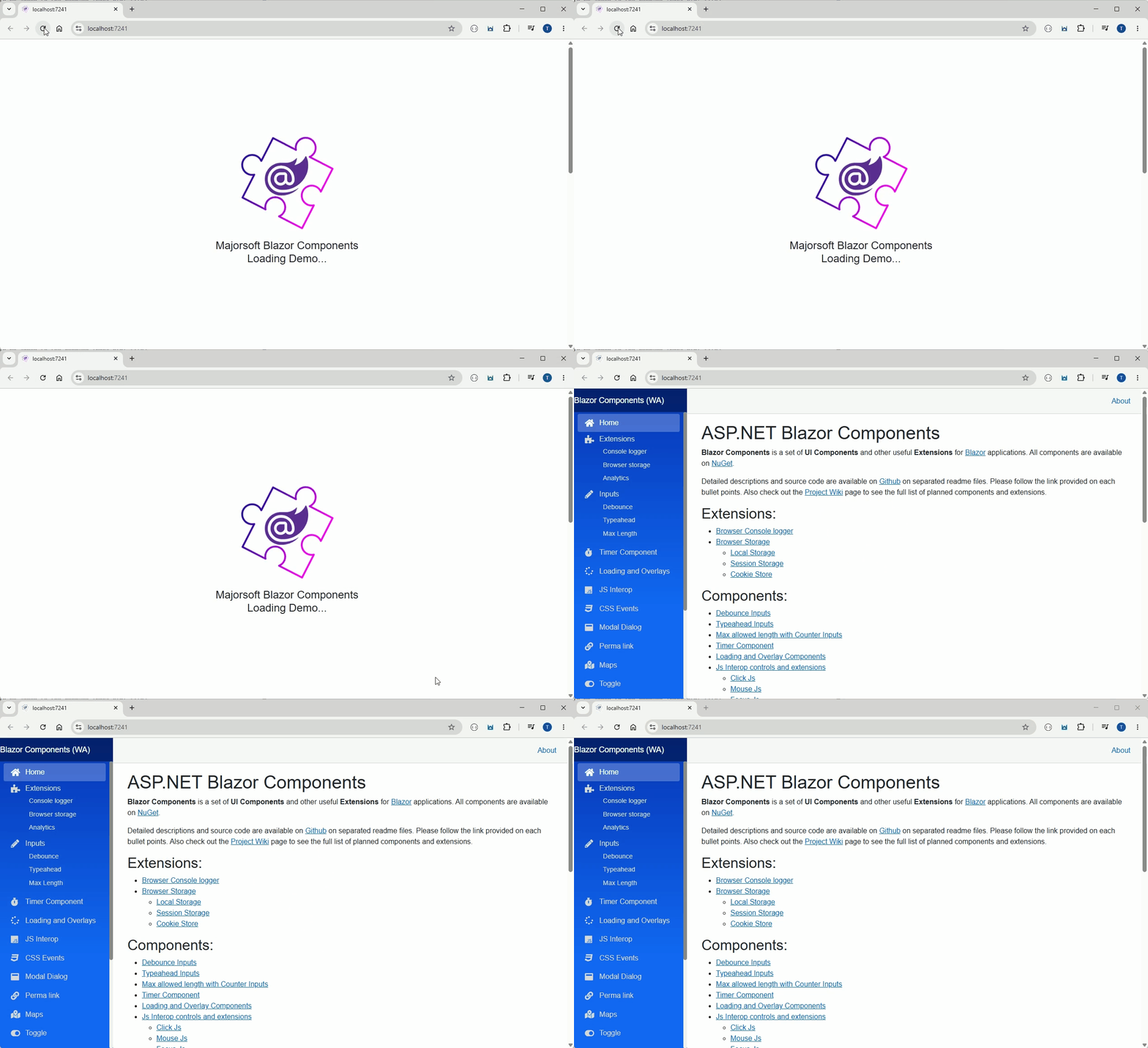
Blazor component that can render a customized Loader screen during WASM application loading time (used to could be added to the removed Index.html file). This components work with WebAssembly (WASM). For Server side render there is no loader needed since no Framework and Application donwload and delay. For code examples see usage.
You can try it out by using the demo app loading the application WASM AppLoader used.
Components
AppLoader: RendersAppLoadercomponent which is a customizable "Splash" screen. Previously it was used as a part of theIndex.htmlfile but now it is a Blazor component that can be used in theMainLayout.razorfile. It is rendered during the application loading time and it is hidden when the application is fully loaded.
Properties
ChildContent:RenderFragmentHTML content - Required <br /> This is the content that will be displayed within the loader in the center of the screen.DelayTimeOut:int- Delay time in milliseconds to show the loader <br /> This is the time while the loader is visible. Default is 1500ms.
Configuration
Installation
Majorsoft.Blazor.Components.WASM.AppLoader is available on NuGet.
dotnet add package Majorsoft.Blazor.Components.WASM.AppLoader
Use the --version option to specify a preview version to install.
Usage
Add using statement to your Blazor <component/page>.razor file. Or globally reference it into _Imports.razor file.
@using Majorsoft.Blazor.Components.WASM.AppLoader
AppLoader usage
Following code example shows how to use AppLoader component in your <App>.Client project. In the 'Layout/MainLayout.razor' file add the following code
near the @Body tag (no conditions needed for visibility it is automatically handled internally in the component):
    <AppLoader DelayTimeOut="1500">
        @* Customize Splash screen here *@
        <img style="margin: 20px;" src="./blazor.app.png" />
        <h4>MY APPLIVATION <br /> Loading...</h4>
    </AppLoader>

    @Body
| Product | Versions Compatible and additional computed target framework versions. |
|---|---|
| .NET | net8.0 is compatible. net8.0-android was computed. net8.0-browser was computed. net8.0-ios was computed. net8.0-maccatalyst was computed. net8.0-macos was computed. net8.0-tvos was computed. net8.0-windows was computed. net9.0 was computed. net9.0-android was computed. net9.0-browser was computed. net9.0-ios was computed. net9.0-maccatalyst was computed. net9.0-macos was computed. net9.0-tvos was computed. net9.0-windows was computed. net10.0 was computed. net10.0-android was computed. net10.0-browser was computed. net10.0-ios was computed. net10.0-maccatalyst was computed. net10.0-macos was computed. net10.0-tvos was computed. net10.0-windows was computed. |
-
net8.0
- Microsoft.AspNetCore.Components.Web (>= 8.0.25)
NuGet packages
This package is not used by any NuGet packages.
GitHub repositories
This package is not used by any popular GitHub repositories.
| Version | Downloads | Last Updated |
|---|---|---|
| 2.0.0 | 47 | 5/19/2026 |
See Releases here: https://github.com/majorimi/blazor-components/releases