AurorisNet.InteractiveReports
1.0.2
See the version list below for details.
dotnet add package AurorisNet.InteractiveReports --version 1.0.2
NuGet\Install-Package AurorisNet.InteractiveReports -Version 1.0.2
<PackageReference Include="AurorisNet.InteractiveReports" Version="1.0.2" />
<PackageVersion Include="AurorisNet.InteractiveReports" Version="1.0.2" />
<PackageReference Include="AurorisNet.InteractiveReports" />
paket add AurorisNet.InteractiveReports --version 1.0.2
#r "nuget: AurorisNet.InteractiveReports, 1.0.2"
#:package AurorisNet.InteractiveReports@1.0.2
#addin nuget:?package=AurorisNet.InteractiveReports&version=1.0.2
#tool nuget:?package=AurorisNet.InteractiveReports&version=1.0.2
AurorisNet.InteractiveReports
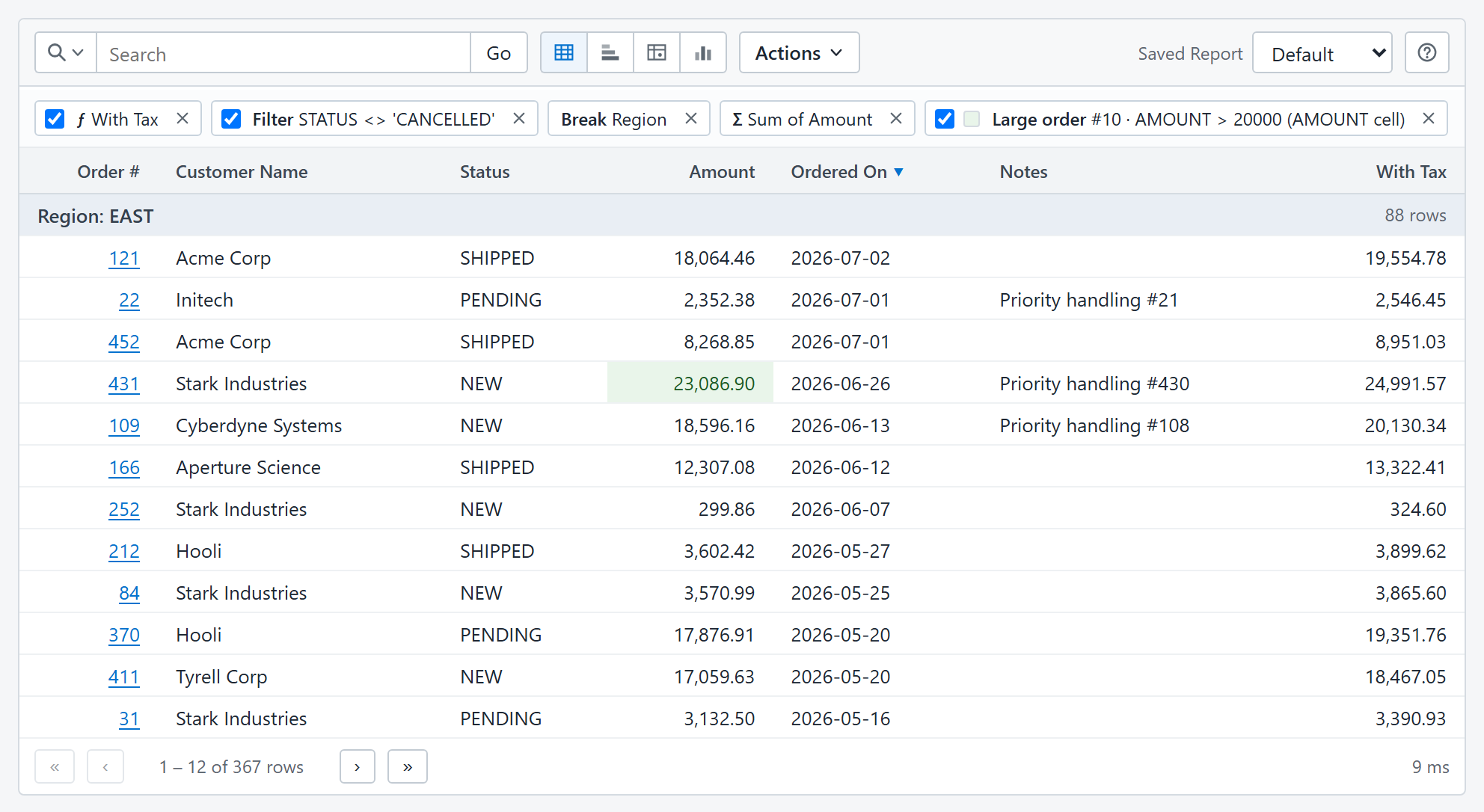
Oracle APEX-style interactive reports for ASP.NET Core. Define a report with a
SELECT; users can search, filter, sort, group, pivot, chart, highlight, and save
their view of the data.
Start here for interactive reports in a browser. This package supplies the
report viewer, administration pages, embeddable <interactive-report> element,
and REST API. The browser assets are included; your application needs no Node.js
installation or front-end build.


Install
In an ASP.NET Core application targeting .NET 8 or later:
dotnet add package AurorisNet.InteractiveReports
NuGet also installs AurorisNet.InteractiveReports.AspNetCore and
AurorisNet.InteractiveReports.Core. You do not need to add them separately.
Install the ADO.NET driver for your database in the host application: SQLite,
SQL Server, PostgreSQL, and Oracle are supported.
How the packages fit together
| Package | Role | Installed with this package? |
|---|---|---|
| AurorisNet.InteractiveReports.AspNetCore | Server configuration, authorization, saved reports, and the shared execution boundary. | Yes |
| AurorisNet.InteractiveReports.Core | Report models, expression language, validation, SQL planning, and execution. | Yes |
| AurorisNet.InteractiveReports.Client.FileDownload | CSV and self-contained HTML download endpoints. Add this for browser downloads. | No; optional |
| AurorisNet.InteractiveReports.Client.GraphQL | Query saved reports through GraphQL.NET. Add this for GraphQL consumers. | No; optional |
If you only need server-side .NET integration, install the ASP.NET Core package directly. If you only need GraphQL or download endpoints, install that adapter directly; each includes the server and engine without the browser package.
Get started
Configure a connection and report in appsettings.json, following the
Getting started guide.
Then register services and map the browser/API routes in Program.cs:
using InteractiveReport.AspNetCore;
using InteractiveReport.Client.Json;

var builder = WebApplication.CreateBuilder(args);
builder.Services.AddInteractiveReports(builder.Configuration);
builder.Services.AddInteractiveReportJson();

var app = builder.Build();
app.MapInteractiveReportJson("/api/reports");
app.Run();
For a report named orders, open /api/reports/orders/view. The
minimal sample
includes a working SQLite database. Saved-report persistence and authentication
are configured by the host; see the getting-started guide for those steps.
NuGet IDs use AurorisNet.InteractiveReports; C# namespaces remain
InteractiveReport.*. Use matching versions when adding optional adapters.
Documentation
| Product | Versions Compatible and additional computed target framework versions. |
|---|---|
| .NET | net8.0 is compatible. net8.0-android was computed. net8.0-browser was computed. net8.0-ios was computed. net8.0-maccatalyst was computed. net8.0-macos was computed. net8.0-tvos was computed. net8.0-windows was computed. net9.0 was computed. net9.0-android was computed. net9.0-browser was computed. net9.0-ios was computed. net9.0-maccatalyst was computed. net9.0-macos was computed. net9.0-tvos was computed. net9.0-windows was computed. net10.0 was computed. net10.0-android was computed. net10.0-browser was computed. net10.0-ios was computed. net10.0-maccatalyst was computed. net10.0-macos was computed. net10.0-tvos was computed. net10.0-windows was computed. |
-
net8.0
- AurorisNet.InteractiveReports.AspNetCore (>= 1.0.2)
NuGet packages (1)
Showing the top 1 NuGet packages that depend on AurorisNet.InteractiveReports:
| Package | Downloads |
|---|---|
|
AurorisNet.Umbraco.AppBlocks.InteractiveReports
Optional Interactive Reports companion for AppBlocks on Umbraco. Requires AppBlocks. |
GitHub repositories
This package is not used by any popular GitHub repositories.