lolcat 1.1.134
dotnet add package lolcat --version 1.1.134
NuGet\Install-Package lolcat -Version 1.1.134
This command is intended to be used within the Package Manager Console in Visual Studio, as it uses the NuGet module's version of Install-Package.
<PackageReference Include="lolcat" Version="1.1.134" />
For projects that support PackageReference, copy this XML node into the project file to reference the package.
<PackageVersion Include="lolcat" Version="1.1.134" />
<PackageReference Include="lolcat" />
For projects that support Central Package Management (CPM), copy this XML node into the solution Directory.Packages.props file to version the package.
paket add lolcat --version 1.1.134
The NuGet Team does not provide support for this client. Please contact its maintainers for support.
#r "nuget: lolcat, 1.1.134"
#r directive can be used in F# Interactive and Polyglot Notebooks. Copy this into the interactive tool or source code of the script to reference the package.
#:package lolcat@1.1.134
#:package directive can be used in C# file-based apps starting in .NET 10 preview 4. Copy this into a .cs file before any lines of code to reference the package.
#addin nuget:?package=lolcat&version=1.1.134
#tool nuget:?package=lolcat&version=1.1.134
The NuGet Team does not provide support for this client. Please contact its maintainers for support.
🌈 lolcat 🦄




lolcat dotnet library inspired by the lolcat powershell module 🙇
🧐 What?

📸 Screenshots
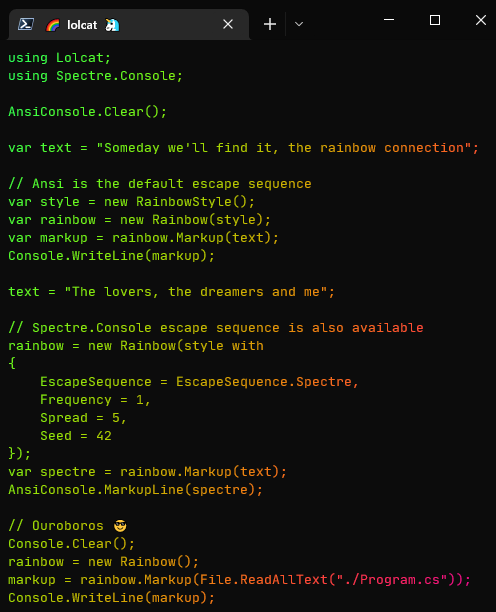
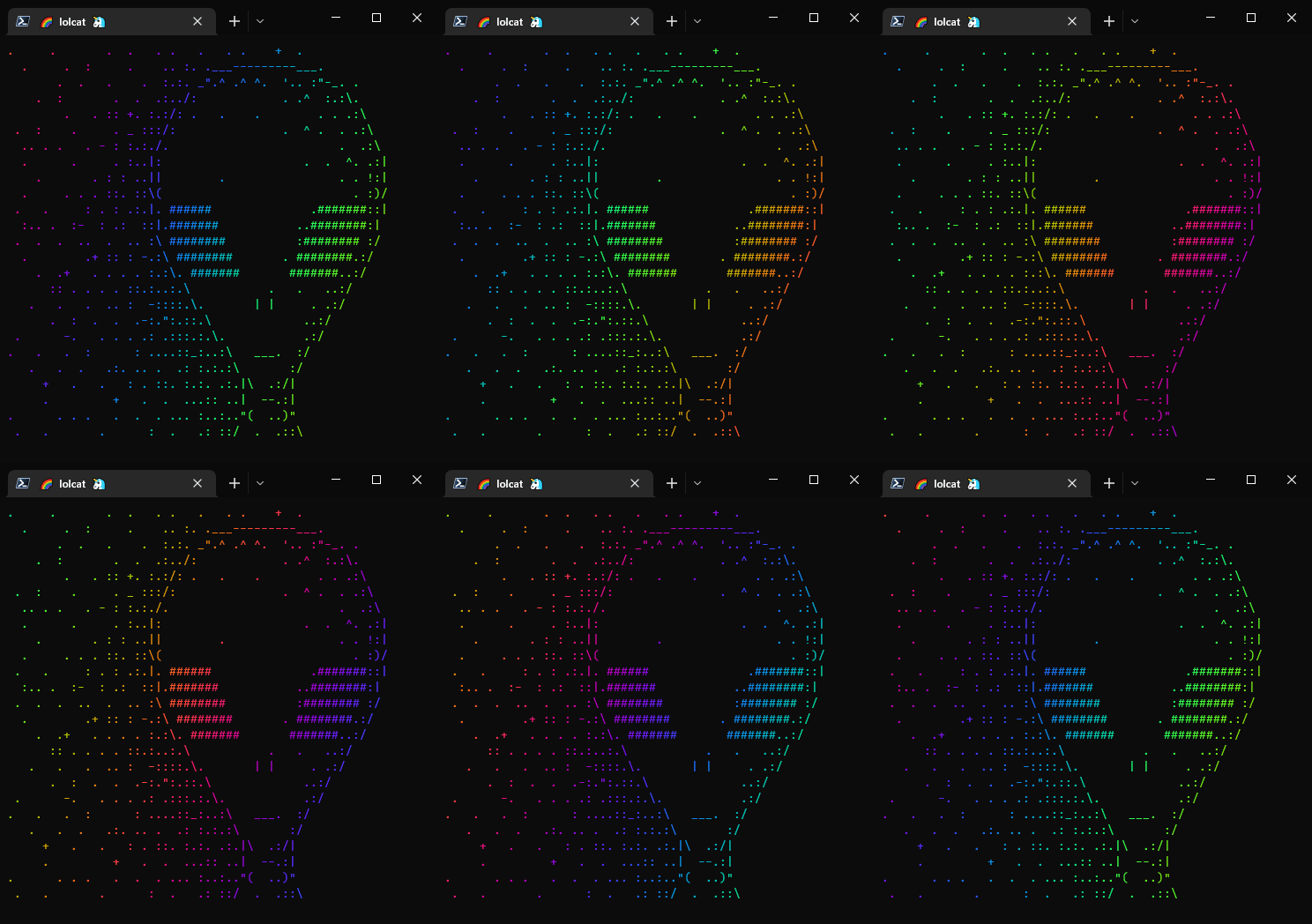
🚧 Installation
> dotnet add package lolcat
🏗 Build️
> dotnet --list-sdks
10.0.104 [/usr/share/dotnet/sdk]

> git --version
git version 2.53.0

> git clone https://github.com/si618/lolcat.git
Cloning into 'lolcat'...

> cd lolcat
> dotnet build
🧪 Test
> dotnet test
⚗ Benchmark
> dotnet run --project ./tests/Lolcat.Benchmarks -c release -f net10.0
🎉 Demos
Code for static and animated demos
> dotnet run --project ./src/Lolcat.Demo -f net10.0
> dotnet run --project ./src/Lolcat.Demo.Animated -f net10.0
| Product | Versions Compatible and additional computed target framework versions. |
|---|---|
| .NET | net10.0 is compatible. net10.0-android was computed. net10.0-browser was computed. net10.0-ios was computed. net10.0-maccatalyst was computed. net10.0-macos was computed. net10.0-tvos was computed. net10.0-windows was computed. |
Compatible target framework(s)
Included target framework(s) (in package)
Learn more about Target Frameworks and .NET Standard.
-
net10.0
- Nerdbank.GitVersioning (>= 3.9.50)
- Spectre.Console (>= 0.55.0)
NuGet packages
This package is not used by any NuGet packages.
GitHub repositories
This package is not used by any popular GitHub repositories.
| Version | Downloads | Last Updated |
|---|---|---|
| 1.1.134 | 5,058 | 4/14/2026 |
| 1.1.133 | 172 | 4/14/2026 |
| 1.1.131 | 17,094 | 3/4/2026 |
| 1.1.120 | 819 | 2/9/2025 |
| 1.1.64 | 1,092 | 11/26/2023 |
| 1.1.14 | 858 | 1/14/2023 |
| 1.1.8 | 616 | 11/20/2022 |
| 1.1.7 | 564 | 11/19/2022 |
| 1.1.4 | 583 | 11/9/2022 |
| 1.1.2 | 564 | 11/9/2022 |
| 1.1.1 | 603 | 11/6/2022 |
| 1.0.47 | 610 | 11/3/2022 |
| 1.0.40 | 583 | 11/3/2022 |
| 1.0.38 | 585 | 11/3/2022 |
| 1.0.36 | 584 | 11/3/2022 |
| 1.0.35 | 592 | 11/3/2022 |
| 1.0.34 | 594 | 11/3/2022 |
| 1.0.28-beta | 338 | 11/1/2022 |
| 1.0.25-beta | 324 | 11/1/2022 |
| 1.0.24-beta | 329 | 10/27/2022 |
Loading failed