Umbraco.Community.uSchema
1.1.0
dotnet add package Umbraco.Community.uSchema --version 1.1.0
NuGet\Install-Package Umbraco.Community.uSchema -Version 1.1.0
<PackageReference Include="Umbraco.Community.uSchema" Version="1.1.0" />
<PackageVersion Include="Umbraco.Community.uSchema" Version="1.1.0" />
<PackageReference Include="Umbraco.Community.uSchema" />
paket add Umbraco.Community.uSchema --version 1.1.0
#r "nuget: Umbraco.Community.uSchema, 1.1.0"
#:package Umbraco.Community.uSchema@1.1.0
#addin nuget:?package=Umbraco.Community.uSchema&version=1.1.0
#tool nuget:?package=Umbraco.Community.uSchema&version=1.1.0
uSchema



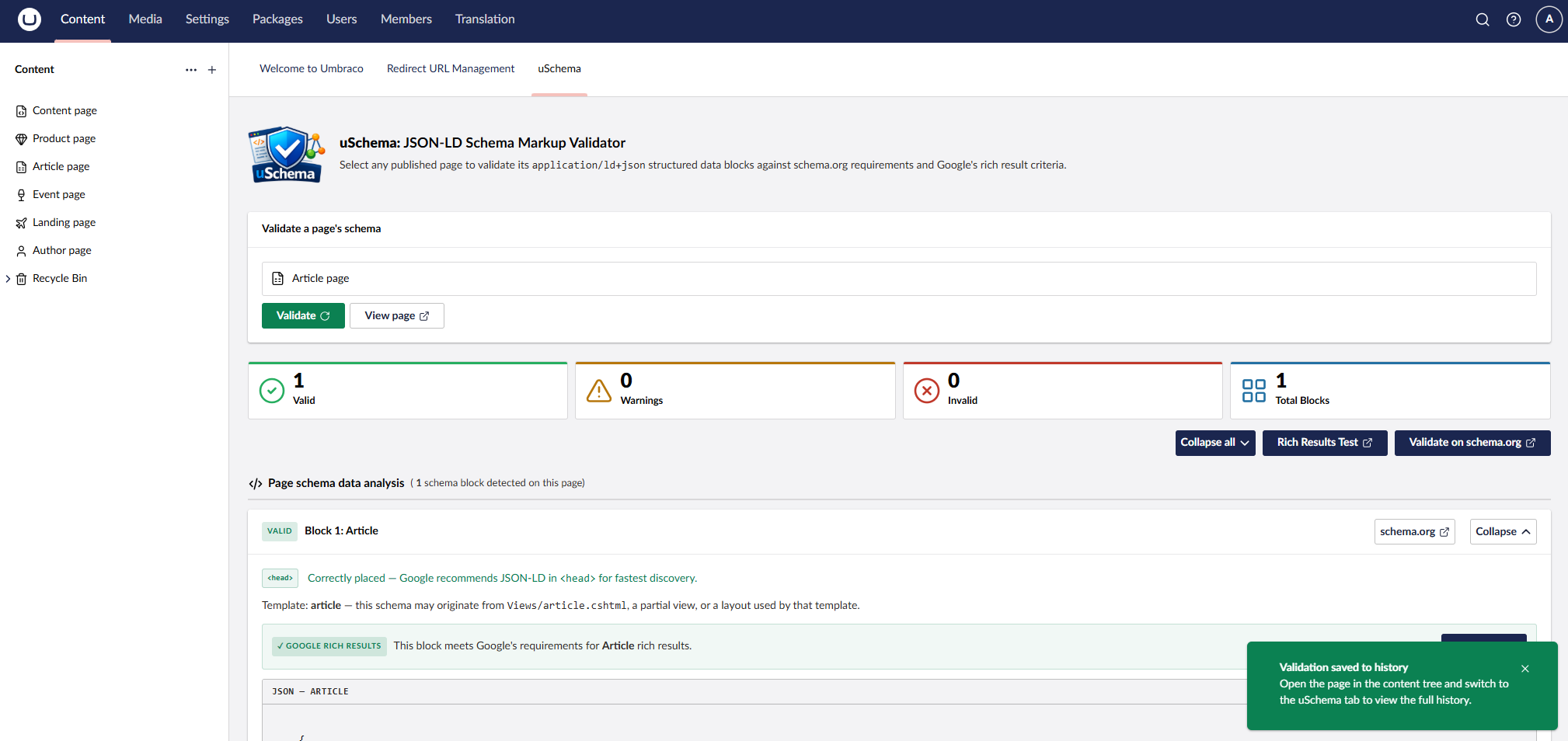
Validate the JSON-LD structured data on your published Umbraco content pages — directly inside the backoffice.
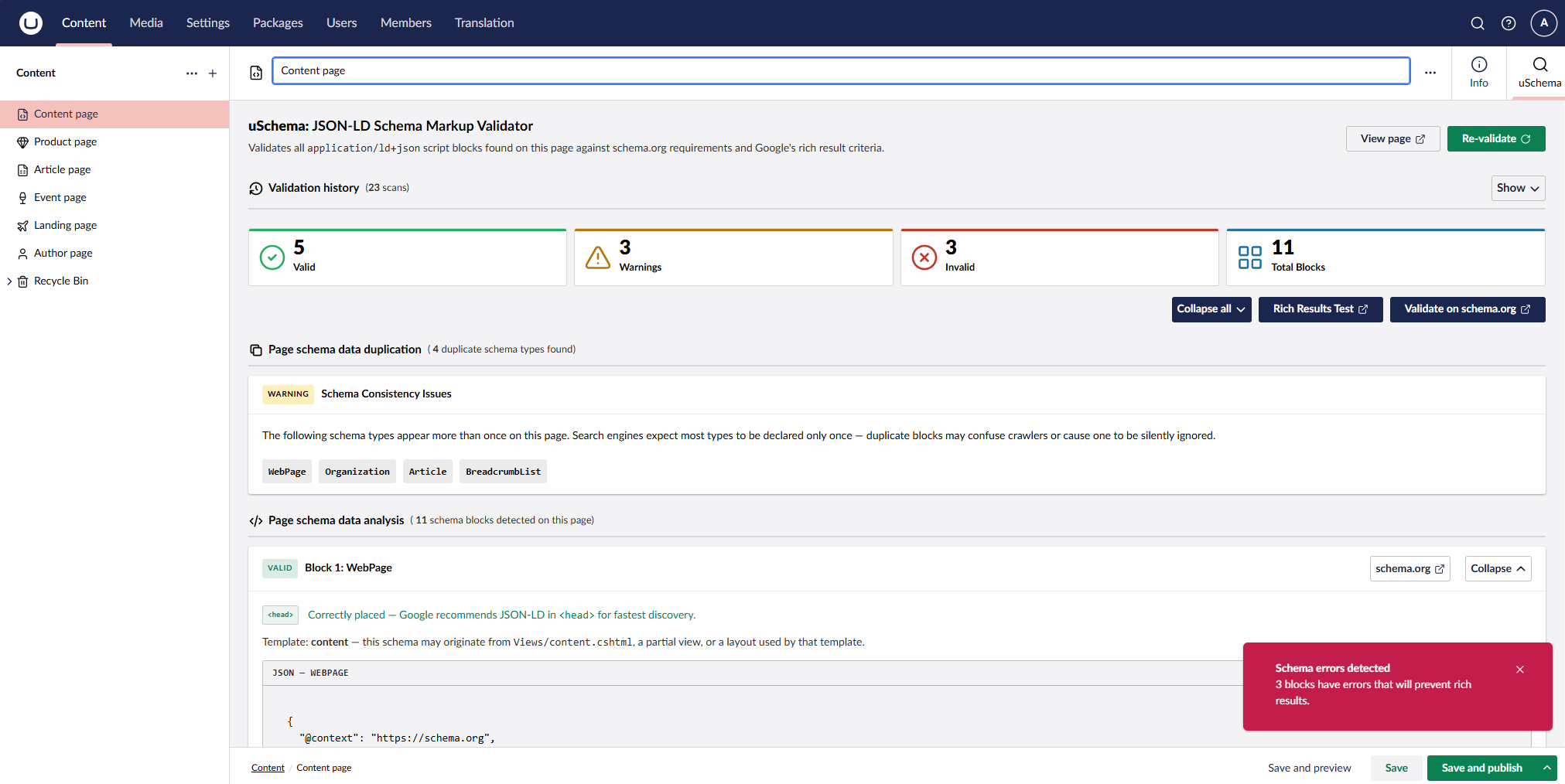
uSchema adds a Schema tab to every content node workspace and a uSchema dashboard. Both fetch the live published page, parse every <script type="application/ld+json"> block, and validate each one against schema.org recommendations.
Features
- Schema workspace tab — validates the page you're editing without leaving the content node
- uSchema dashboard — pick any published page by name and validate it on demand
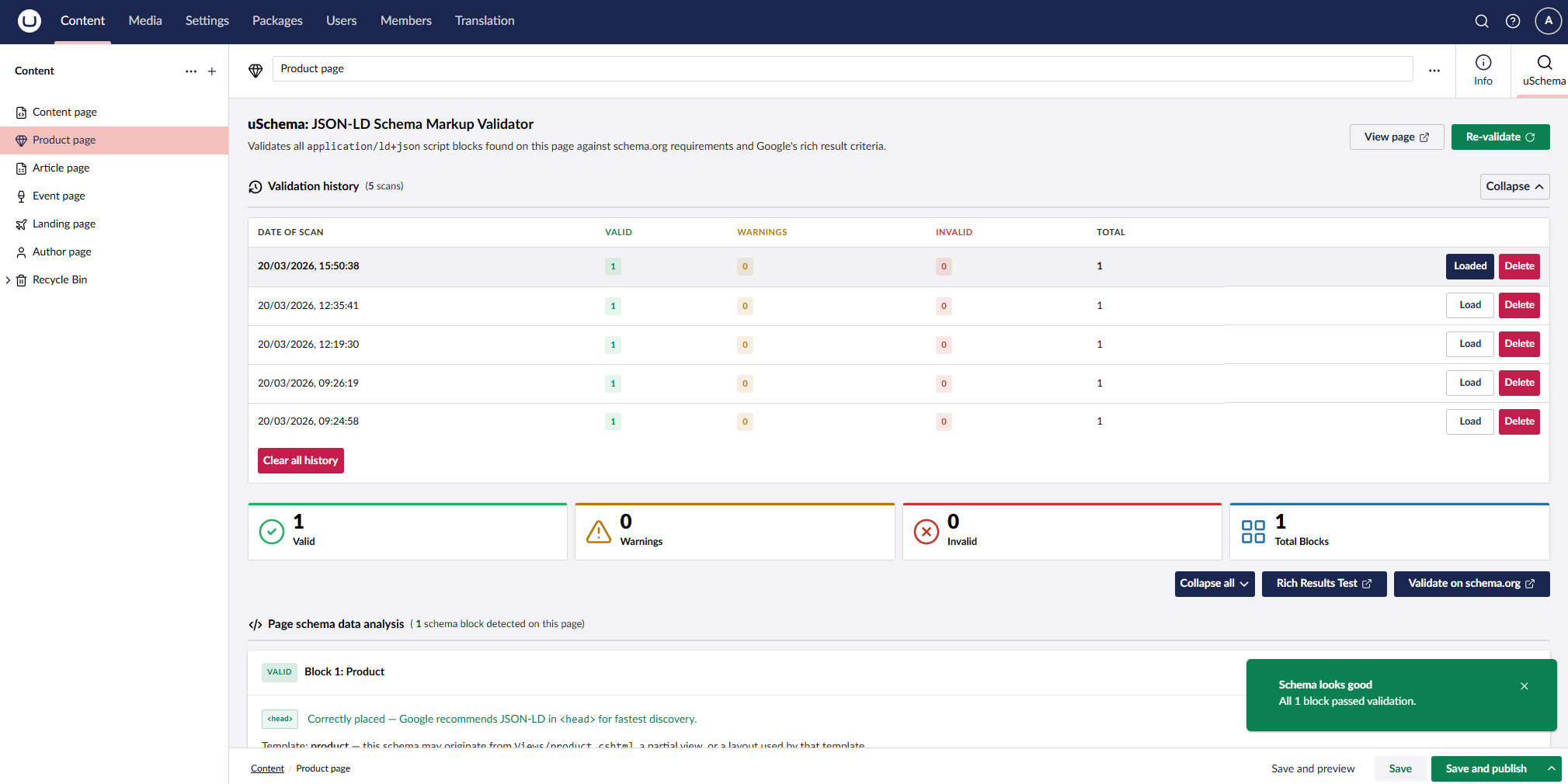
- At-a-glance status — each JSON-LD block is marked Valid, Warning, or Invalid with a summary count
- Error & warning detail — clear descriptions of what's missing or incorrect, with direct links to schema.org and Google documentation
- Annotated JSON examples — colour-coded view showing exactly which properties need adding or correcting, with a "Suggested fix" block that addresses all flagged issues at once
- Google Rich Results eligibility — per-block status showing whether the block meets Google's requirements, which required fields are missing, and a direct link to Google's Rich Results documentation for that type
- Broad schema type support — 30+ types including Article, NewsArticle, WebPage, Organization, BreadcrumbList, FAQPage, LocalBusiness, Product, Event, Recipe, Person, WebSite, VideoObject, HowTo, JobPosting, and more
@graphblock support — multi-entity JSON-LD documents are fully parsed- Source location indicator — shows whether each block is in
<head>or<body>, with advice on placement and a hint suggesting the responsible Razor view based on the content type alias - Duplicate type detection — warns when the same schema type appears in multiple blocks
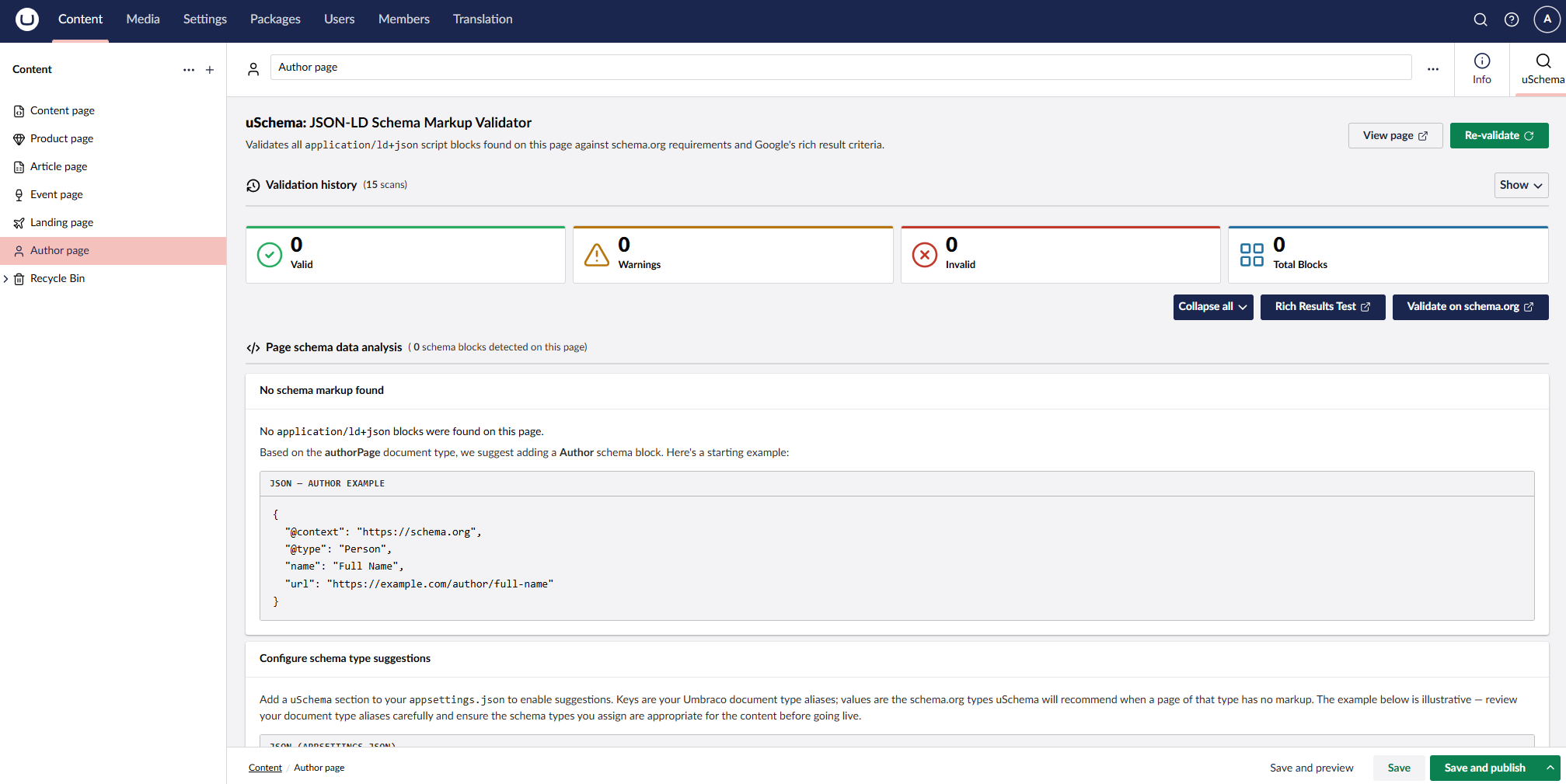
- Schema type suggestions — when a page has no JSON-LD markup, uSchema can suggest an appropriate schema type based on the document type and display a ready-to-use example block; configured via
appsettings.json - Validation history — per-page history of recent scans in the workspace tab; load any previous result in full, with the most recent scan highlighted on load
- Collapse / expand controls — collapse all blocks at once or toggle individual ones
Requirements
- Umbraco 17+
- .NET 10+
Installation
dotnet add package Umbraco.Community.uSchema
No configuration is required. After installing and restarting your site, the Schema tab appears on all content nodes and the uSchema dashboard appears under the Content section.
Usage
Workspace tab
- Open any published content node in the Umbraco backoffice
- Click the Schema tab
- uSchema fetches the live page and displays all JSON-LD blocks with their validation status
Dashboard
- Go to Content > uSchema in the left navigation
- Use the content picker to select any published page
- Click Validate to see that page's JSON-LD results
Note: The page must be published for validation to work. Unpublished pages cannot be fetched.
Configuration
Schema type suggestions (optional)
To enable schema type suggestions for pages with no JSON-LD markup, add a uSchema section to your appsettings.json:
"uSchema": {
  "DocumentTypeSchemaMap": {
    "blogPost": "Article",
    "product": "Product",
    "eventPage": "Event",
    "landingPage": "WebPage"
  }
}
Keys are your Umbraco document type aliases; values are the schema.org types uSchema will suggest when a page of that type has no markup.
Source & Issues
| Product | Versions Compatible and additional computed target framework versions. |
|---|---|
| .NET | net10.0 is compatible. net10.0-android was computed. net10.0-browser was computed. net10.0-ios was computed. net10.0-maccatalyst was computed. net10.0-macos was computed. net10.0-tvos was computed. net10.0-windows was computed. |
-
net10.0
- AngleSharp (>= 1.4.0)
- Umbraco.Cms.Api.Common (>= 17.0.0 && < 18.0.0)
- Umbraco.Cms.Api.Management (>= 17.0.0 && < 18.0.0)
- Umbraco.Cms.Web.Common (>= 17.0.0 && < 18.0.0)
- Umbraco.Cms.Web.Website (>= 17.0.0 && < 18.0.0)
NuGet packages
This package is not used by any NuGet packages.
GitHub repositories
This package is not used by any popular GitHub repositories.