CodeGlyphX 3.0.0
dotnet add package CodeGlyphX --version 3.0.0
NuGet\Install-Package CodeGlyphX -Version 3.0.0
<PackageReference Include="CodeGlyphX" Version="3.0.0" />
<PackageVersion Include="CodeGlyphX" Version="3.0.0" />
<PackageReference Include="CodeGlyphX" />
paket add CodeGlyphX --version 3.0.0
#r "nuget: CodeGlyphX, 3.0.0"
#:package CodeGlyphX@3.0.0
#addin nuget:?package=CodeGlyphX&version=3.0.0
#tool nuget:?package=CodeGlyphX&version=3.0.0
CodeGlyphX
CodeGlyphX is a pure-managed .NET toolkit for QR codes, industrial and retail barcodes, matrix symbols, structured payloads, and image rendering/decoding. It does not require native graphics libraries such as System.Drawing, SkiaSharp, or ImageSharp.



What it covers
- QR, Micro QR, and rectangular Micro QR encoding and module decoding, including ECI, Kanji, FNC1/GS1, and structured append where the format supports it
- Common 1D symbologies including Code 128/GS1-128, Code 39/93/11, EAN/UPC, ITF, Codabar, MSI, Plessey, postal, and GS1 DataBar variants
- Industrial and logistics formats including MaxiCode, DotCode, Han Xin Code, GS1 DataBar Limited/Stacked Omnidirectional, and GS1-128 Composite CC-A/CC-B/CC-C
- Data Matrix ECC 200 and DMRE encoding/decoding, plus PDF417/MicroPDF417 and Aztec
- QR payload builders for Wi-Fi, contacts, calendar events, OTP, payments, social profiles, and app links
- PNG, JPEG, WebP, GIF, TIFF, BMP, Netpbm, TGA, ICO, XBM, XPM, SVG/SVGZ, HTML, PDF, EPS, and ASCII output
- Managed raster decoding with explicit byte, pixel, dimension, animation, cancellation, and recognition-budget controls, plus opt-in laser-etch and dot-peen preprocessing
- WPF controls and example applications
The exact behavior and known codec limits are documented under image decoding and output formats.
Install
dotnet add package CodeGlyphX
Primary API
The output format is selected from the file extension:
using CodeGlyphX;
using CodeGlyphX.Payloads;

var contact = QrPayload.VCard(
    firstName: "Ava",
    lastName: "Stone",
    phone: "+14155550198",
    email: "ava@example.com",
    organization: "CodeGlyphX");

QR.Save(contact, "contact.png");
Barcode.Save(SymbolFormat.Ean, "5901234123457", "product.svg");
DataMatrixCode.Save("LOT-2026-0042", "lot.png");
Pdf417Code.Save("DOCUMENT-2026-0042", "document.pdf");
AztecCode.Save("TICKET-2026-0042", "ticket.svg");
These calls are also compiled and executed by the NativeAOT CI smoke test in CodeGlyphX.Examples/FlagshipApiExample.cs.
For in-memory output, use a generic renderer and an explicit format:
using CodeGlyphX;
using CodeGlyphX.Rendering;

byte[] png = QR.Render("Hello", OutputFormat.Png).ToArray();
string svg = Barcode.Render(SymbolFormat.Code128, "PRODUCT-123", OutputFormat.Svg).GetText();

using var stream = File.Create("hello.pdf");
OutputWriter.Write(stream, QR.Render("Hello", OutputFormat.Pdf));
For 2.x consumers, see the 3.0 migration guide. Encoding settings are separate from appearance:
var qr = QR.Encode("Hello", new QrEncodingOptions {
    ErrorCorrectionLevel = QrErrorCorrectionLevel.H,
    EciMode = QrEciMode.Auto
});
qr.Save("hello.png", new QrRenderOptions { ModuleSize = 6, QuietZone = 4 });
RenderedOutput.Data is read-only; use ToArray() when a mutable byte array is required. Encoded symbols retain their format metadata and their own module data. Rendering cannot change payload, version or error correction.
QR styling
var options = new QrRenderOptions {
    Art = QrArt.Theme(
        QrArtTheme.NeonGlow,
        QrArtVariant.Conservative,
        intensity: 60)
};

QR.Save("https://codeglyphx.com", "styled.png", options,
    new QrEncodingOptions { ErrorCorrectionLevel = QrErrorCorrectionLevel.H });
QR.EvaluateScanHeuristics reports static contrast, quiet-zone, module-scale, and related concerns before rendering. It does not decode the output or guarantee scanner interoperability; validate final artifacts on the real devices and applications you support.
Colorful QR gallery
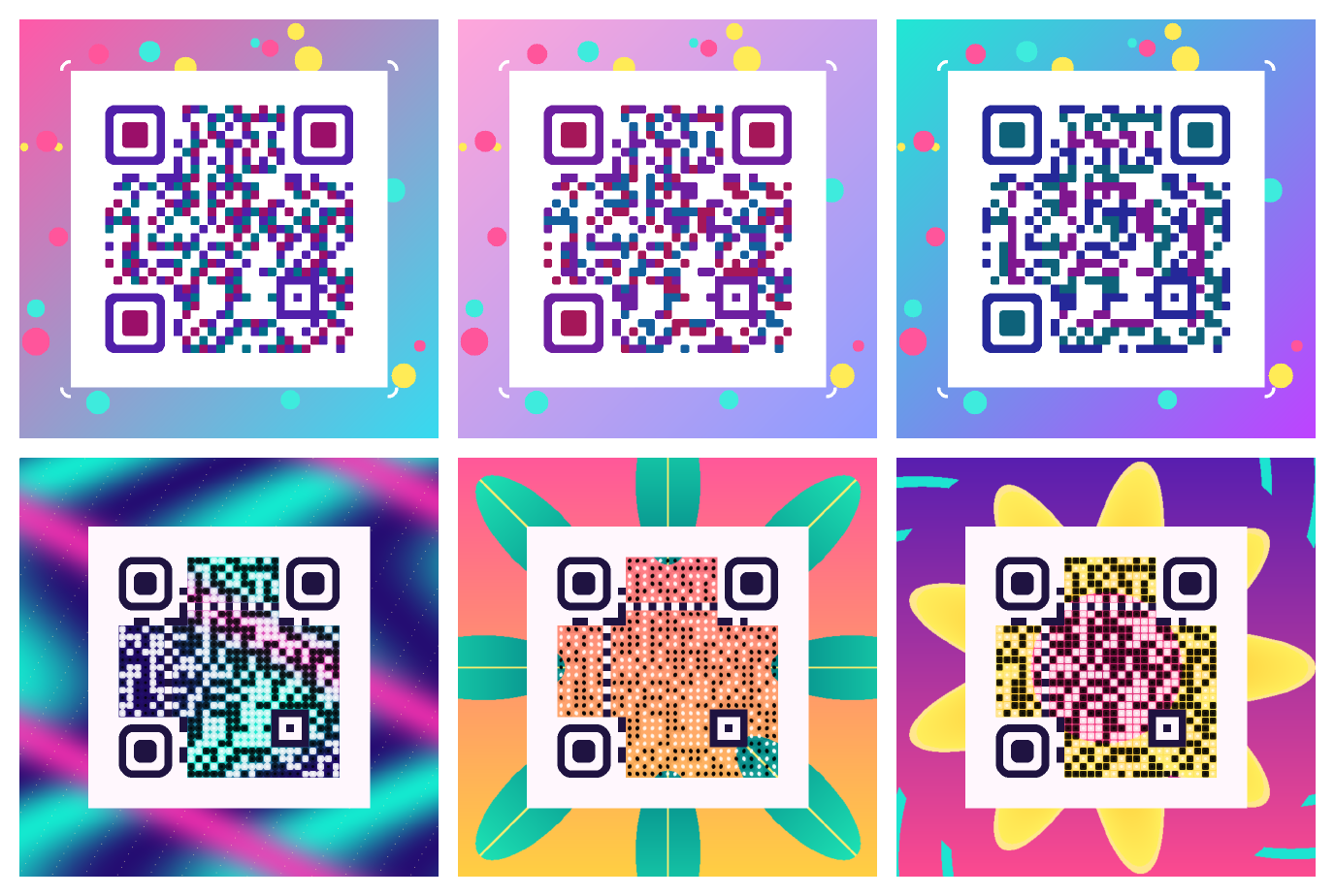
The colorful-gallery example renders six designs: three combine module palettes, rounded finder patterns, gradients and confetti; three weave locally drawn illustrations into the QR data area. The designs use high error correction and preserve the functional patterns and a light quiet zone.
Run the gallery from the repository root with PowerShell:
$env:CODEGLYPHX_COLORFUL_GALLERY = '1'
$env:CODEGLYPHX_OUTPUT_DIR = Join-Path (Get-Location) 'artifacts/colorful'
dotnet run --project CodeGlyphX.Examples -c Release
Remove-Item Env:CODEGLYPHX_COLORFUL_GALLERY, Env:CODEGLYPHX_OUTPUT_DIR
The output directory contains six full-size PNGs, a contact sheet and validation.tsv. Each export must recover https://codeglyphx.com from its original pixels, a half-size copy and a lightly blurred copy before the example completes. These CodeGlyphX decoder checks cover the exported files; test the intended delivery size and target readers before distributing a design. The contact sheet is a preview, and its thumbnails are not the validated exports.
The generic render API accepts PNG compression without changing styling or decoded pixels:
using CodeGlyphX.Rendering;

var png = QR.Render("https://example.com", OutputFormat.Png,
    new QrRenderOptions { ModuleSize = 16 },
    outputOptions: new OutputOptions { PngCompressionLevel = 6 });
PngCompressionLevel also applies to generic matrix and linear-barcode rendering. Use 0 for stored data or 1 through 9 for compression. Leaving it unset preserves each renderer's existing default.
Compose QR artwork from an image
Use a photo or illustration to color the QR data area. Composition runs locally, preserves the image's proportions, flattens transparency onto white, and keeps finder, timing, alignment, format, and version modules intact. The quiet zone stays white by default.
using CodeGlyphX;
using CodeGlyphX.Rendering.Art;
using System.IO;

const string payload = "https://example.com/art";
var artwork = QrArt.Compose(payload, File.ReadAllBytes("illustration.png"),
    new QrImageCompositionOptions {
        Style = QrImageCompositionStyle.ImageOverlay,
        Fit = QrImageFit.Cover,
        ModuleSize = 16,
        Strength = 0.75
    });
byte[] png = artwork.ToPng();
var report = QrArt.ValidateImage(png, payload);
if (report.AllPassed) File.WriteAllBytes("artistic-qr.png", png);
ColorModules (the default) adapts the luminance of every image pixel to its QR module, with small contrasting centers for local-threshold readers. ImageOverlay reveals more image detail around contrasting square module centers; CenterSize controls their width when Art is not set. Strength ranges from 0 (plain black/white) to 1 (most image color). Cover crops centrally; Contain fits the whole image on white. Composition uses high error correction. For an existing QR or raw RGBA artwork, use QrImageComposer.Render(qr, rgba, width, height, options).
ValidateImage reads the exported image and attempts to recover the exact expected text from the original, a half-size copy, and a lightly blurred copy. Its report records each result, including failed or budget-limited attempts. It uses CodeGlyphX's decoder; legacy targets have limited image recognition. A passing report does not certify other readers or printed output. Check the actual delivery size, compression, and target devices before distributing artwork.
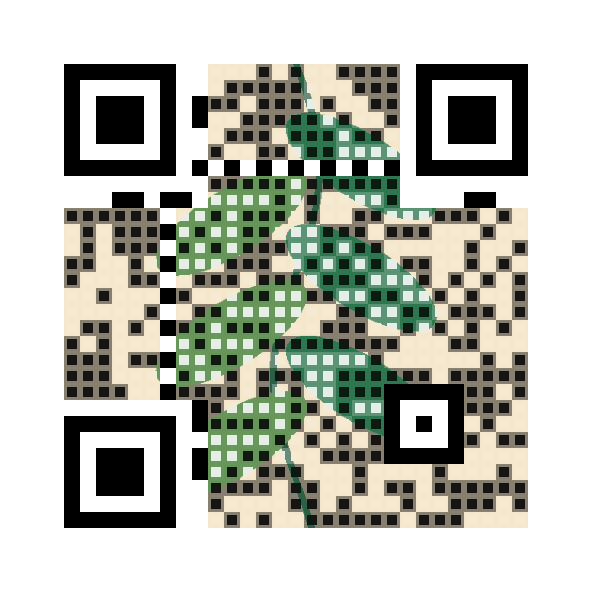
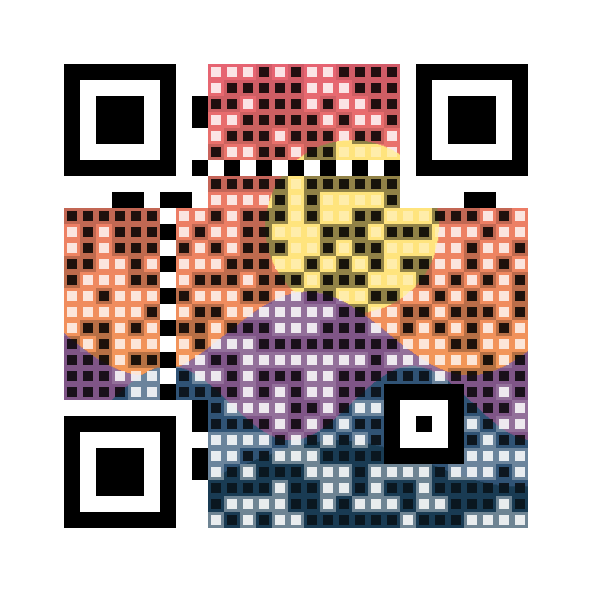
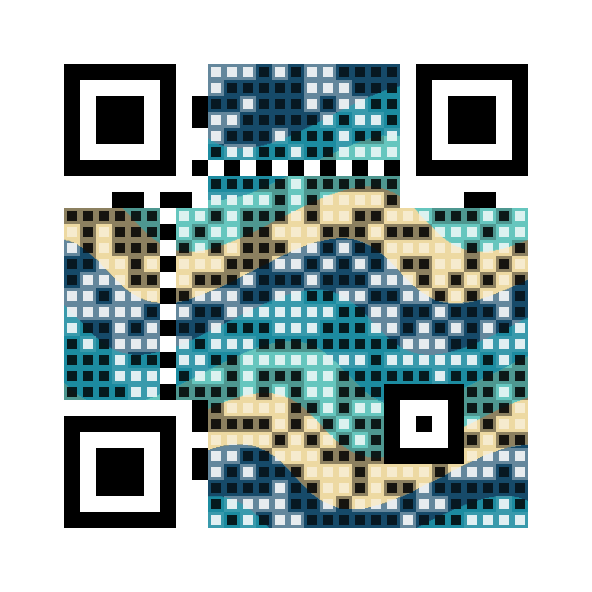
The image-composition example generates these illustrations and both treatments without an external service:
| Botanical | Sunset | Waves |
|---|---|---|
 |
 |
 |
For rounded, connected, or organic image-aware shapes, set Art. This replaces the square treatment selected by Style/CenterSize. Decorative shapes adapt to local image edges while small scan anchors stay fixed at module centers. Canvas extends the same image around the QR, preserving a uniform light quiet zone. Dark ink and light paper colors can be chosen within enforced luminance bounds.
using CodeGlyphX.Rendering;
using CodeGlyphX.Rendering.Png;

var expressive = QrArt.Compose(payload, File.ReadAllBytes("illustration.png"),
    new QrImageCompositionOptions {
        ModuleSize = 16,
        ImagePositionX = 0.7, // Align the crop toward the image's right edge.
        ImageZoom = 1.15,
        Art = new QrImageArtOptions {
            Shape = QrModuleShape.ConnectedRounded,
            DetailProtection = 0.8
        },
        Canvas = new QrImageCanvasOptions {
            PaddingModules = 10,
            PositionX = 0.25,
            PositionY = 0.8
        }
    });
expressive.SavePng("expressive-qr.png");
ImagePositionX/Y control image alignment; Canvas.PositionX/Y place the QR within the canvas. ImageZoom magnifies after fitting. With a canvas, the image fits the whole canvas rather than just the QR data area. QrOffsetX, QrOffsetY, and QrSize on the result locate the QR including its quiet zone. Validate the complete exported canvas at its delivery size.
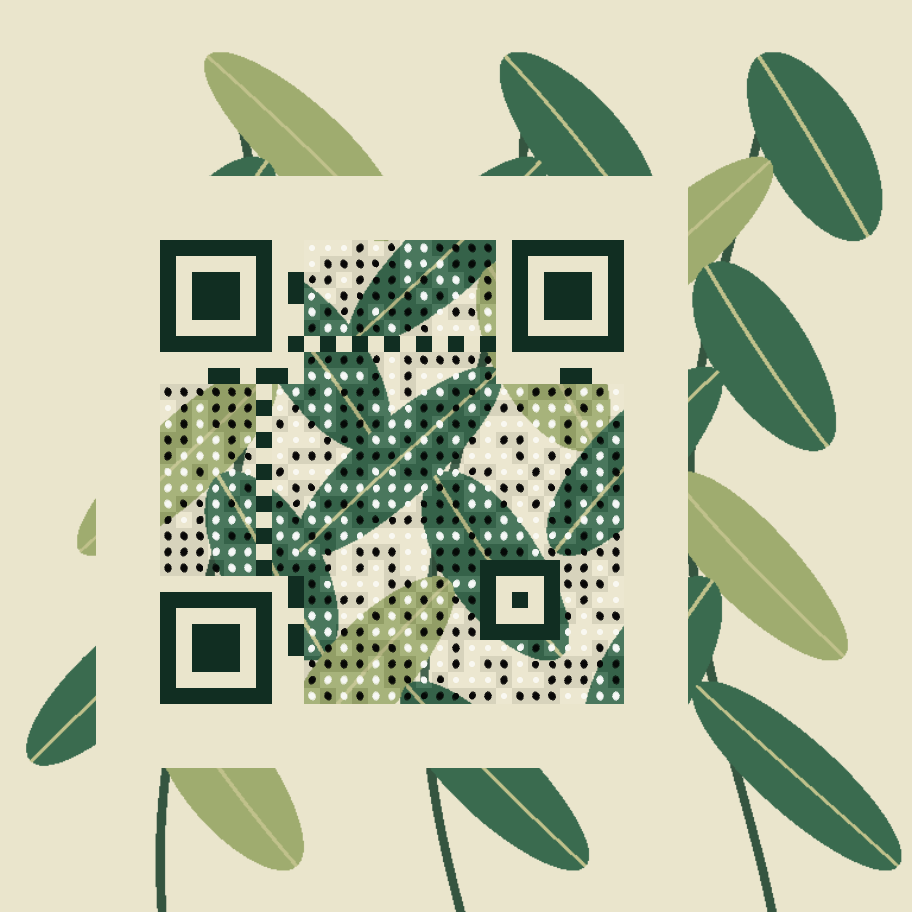
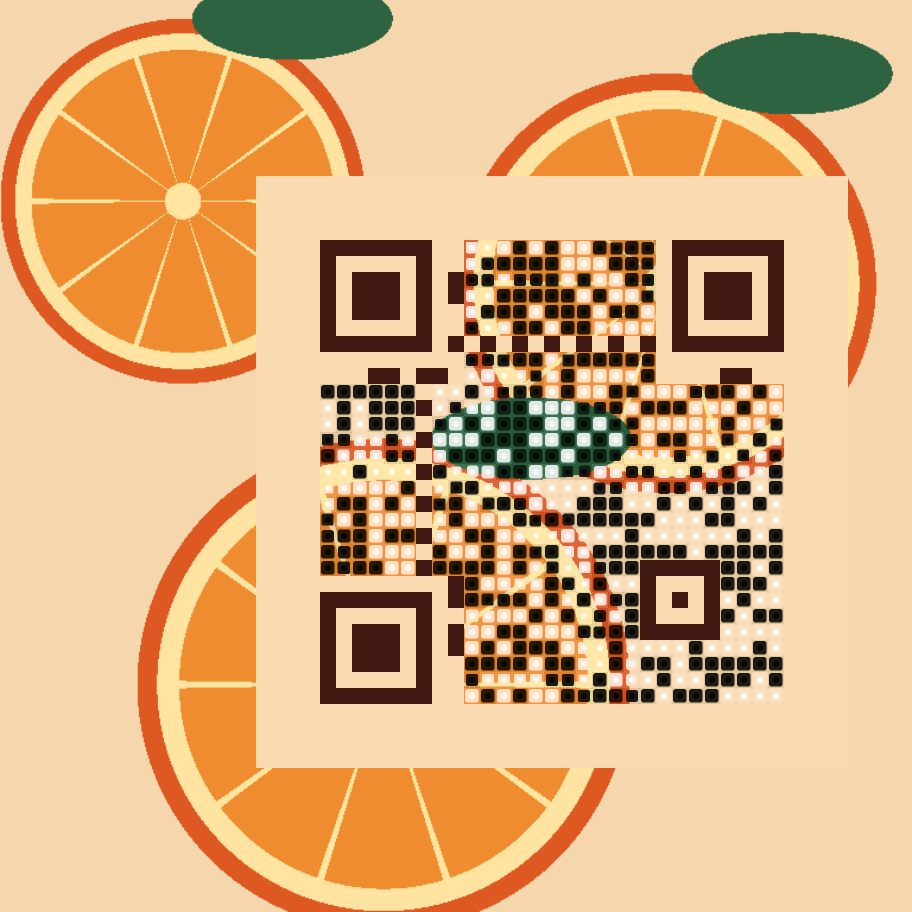
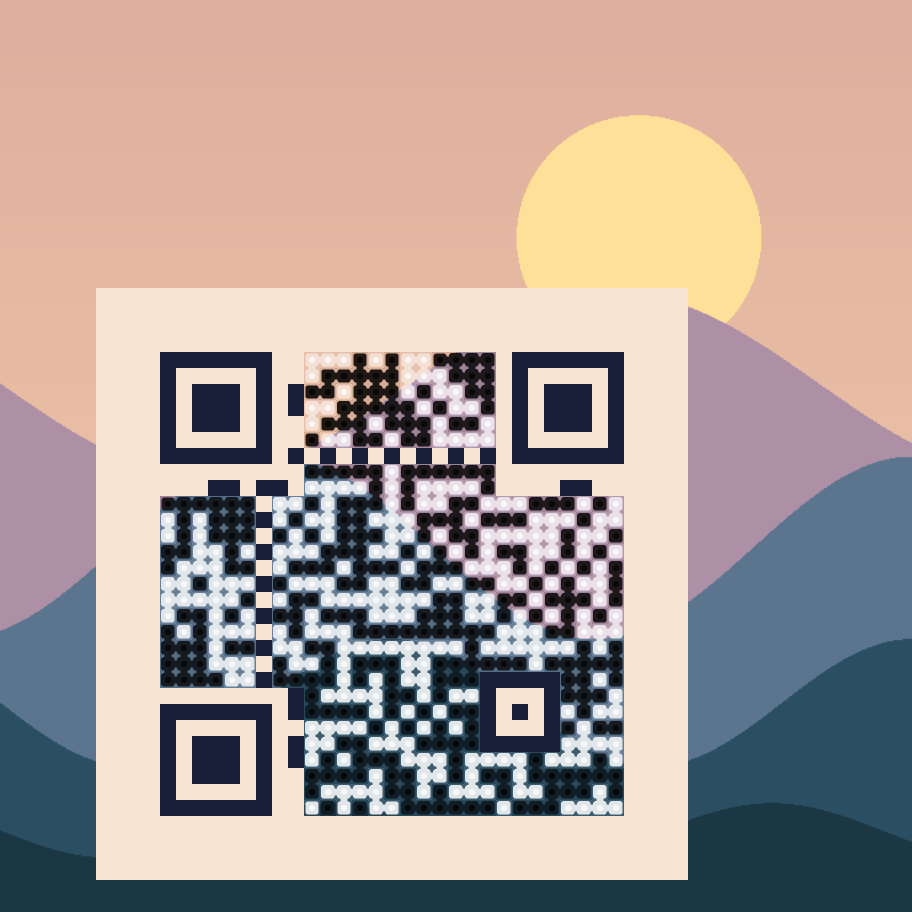
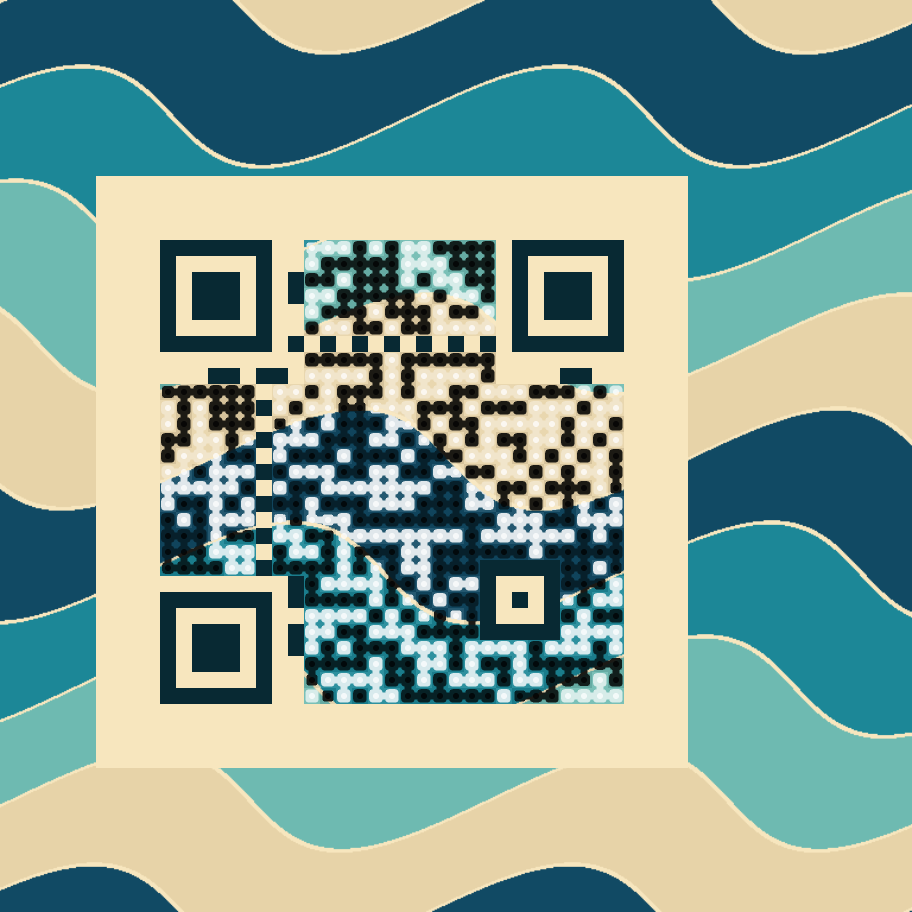
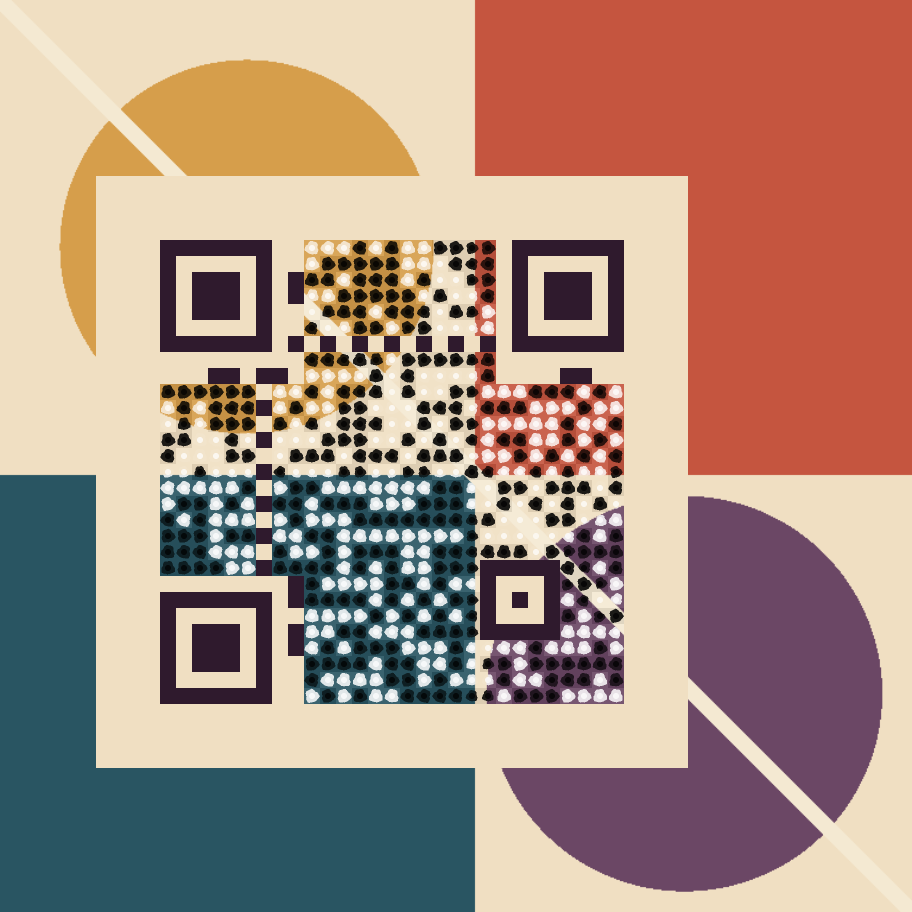
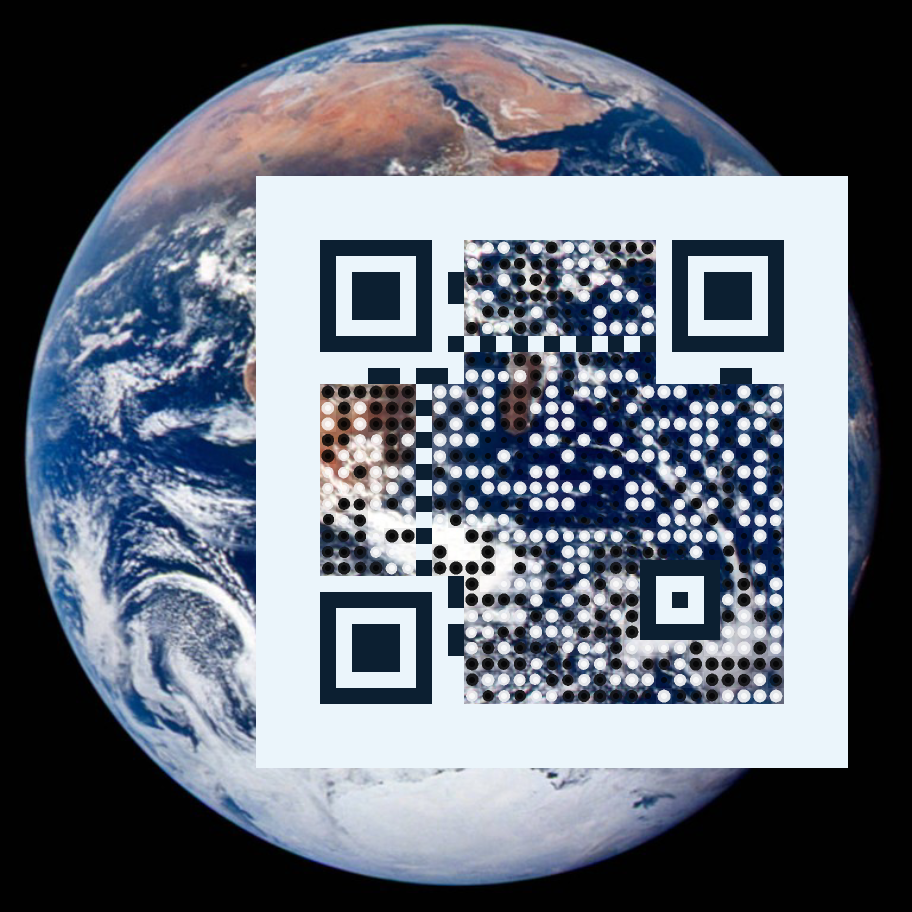
The expressive-art example produces six designs and baseline comparisons. The Earth photograph is credited to NASA; the other illustrations are drawn locally by the example.
| Botanical | Citrus | Landscape |
|---|---|---|
 |
 |
 |
| Waves | Geometric | Earth photograph |
 |
 |
 |
Protect a subject and compare artistic alternatives
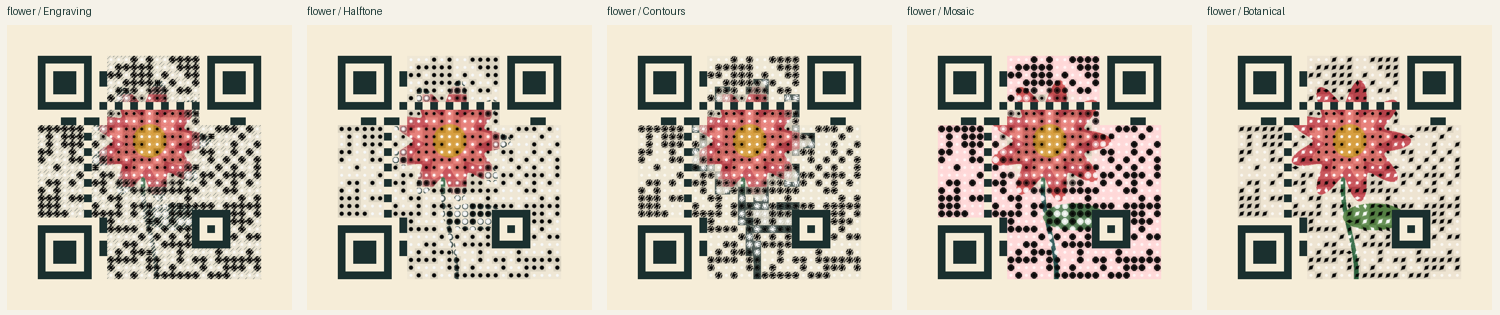
Set Art.Style to Engraving, Halftone, Contours, Mosaic, or Botanical. Print treatments use the functional ink/paper colors; protected regions retain more of the supplied image. Art.Subject selects a focal circle in source-image coordinates, or accepts a copied grayscale QrImageProtectionMask where white protects detail. The region follows crop and zoom. It does not identify faces or objects automatically.
var alternatives = QrArt.SearchImage(payload, File.ReadAllBytes("portrait.png"),
    new QrImageSearchOptions {
        Composition = new QrImageCompositionOptions {
            Art = new QrImageArtOptions {
                Style = QrImageArtStyle.Engraving,
                Subject = new QrImageSubjectOptions { X = 0.5, Y = 0.4, Radius = 0.25 }
            }
        }
    });
var selected = alternatives.Candidates[0];
selected.Image.SavePng("portrait-qr.png");
var delivery = QrArt.ValidateDelivery(selected.Image.ToPng(), payload,
    new QrImageDeliveryOptions { PrintMillimeters = 40, PrintDpi = 150 });
Search screens all eight masks at six pixels per module for each selected version and H/Q error-correction level. It renders the strongest visual candidates at the requested output size, measures their fidelity again, and checks the original, half-size and blurred exports. Results rank by passed checks, then fidelity. EvaluatedCandidates and ValidatedCandidates distinguish visual screening from actual decode attempts. A high fidelity score measures resemblance to the source, not scan reliability; inspect each candidate's Validation before selecting it.
ValidateDelivery also checks screen resizing, a requested print raster size, JPEG compression, and a perspective warp. These are observed software results: perspective recovery varies with symbol geometry, and a failed check can reflect either the artwork or decoder limitations. Raster codecs are synchronous; cancellation applies between codec operations and throughout cooperative rendering/recognition. Physical printing and phone-camera checks remain necessary. SearchImageAsync and ValidateDeliveryAsync yield between work units for browser hosts; search progress reports screened combinations.
The browser playground includes image/mask uploads, focal/crop/placement controls, ranked PNG downloads and delivery reports. Processing stays in the browser. Run the art-studio example with CODEGLYPHX_ART_STUDIO=1 to generate portrait, flower, architecture and logo illustrations with protected/unprotected comparisons across all five styles.
Illustrated compositions
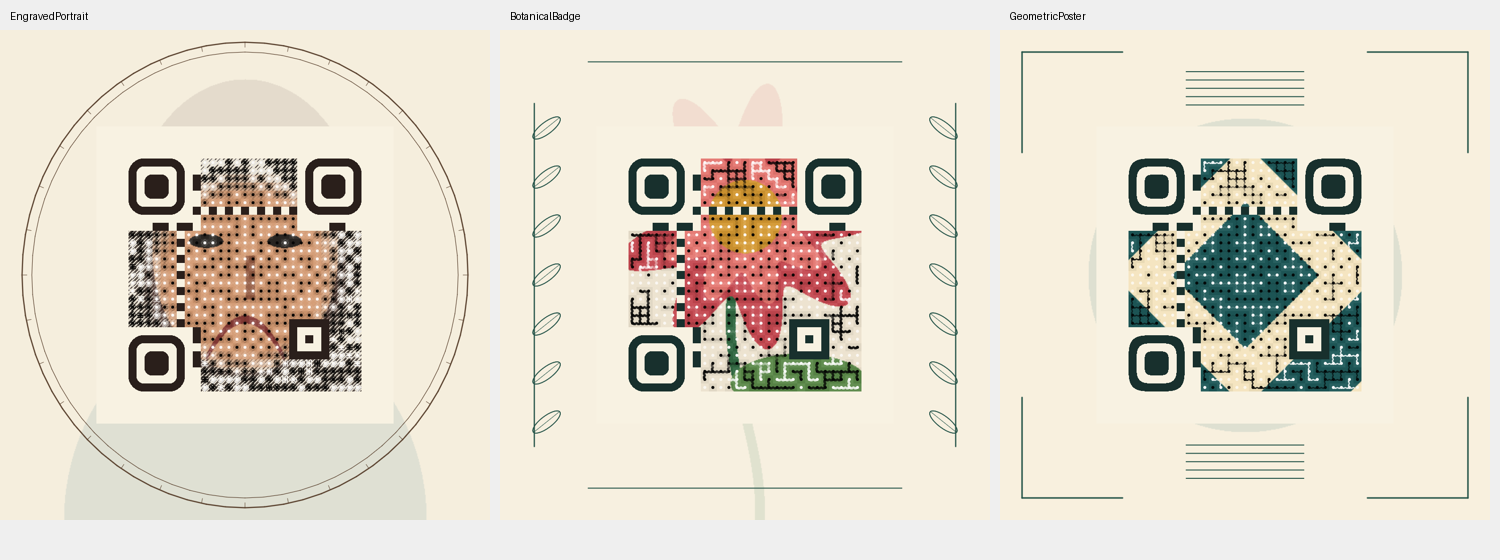
QrIllustratedComposer provides engraved portrait, botanical badge and geometric poster families. Each combines image artwork, coordinated finder frames and decorative framing outside the QR quiet zone. Ribbons and Weave connect neighboring data modules while retaining scan anchors. Art.Finders selects square, rounded or squircle frames; other functional patterns remain unchanged.
var options = QrIllustratedComposer.CreateOptions(QrIllustratedStyle.BotanicalBadge);
var alternatives = QrArt.SearchImage(payload, File.ReadAllBytes("flower.png"),
    new QrImageSearchOptions { Composition = options, ExploreLayouts = true });
var selected = alternatives.Candidates[0];
var illustrated = QrIllustratedComposer.Frame(selected.Image, QrIllustratedStyle.BotanicalBadge);
illustrated.Image.SavePng("botanical-qr.png");
illustrated.SaveSvg("botanical-qr.svg");
var checks = QrArt.ValidateImage(illustrated.Image.ToPng(), payload);
ExploreLayouts screens the configured layout plus four crop, placement and zoom variations. Each result records its selected Layout. Search remains bounded and may return failed decode checks; it does not find every possible layout or identify subjects automatically. Framing preserves the entire QR and quiet-zone rectangle, but changes the surrounding image, so validate the framed export as shown above.
SVG exports are self-contained hybrid images: framing is vector geometry and the QR artwork is an embedded PNG. Increasing SVG display size does not add detail to that raster; choose ModuleSize for the intended print size. Small or heavily reduced artistic exports may not decode. The browser studio exposes the same families, layout search and PNG/SVG downloads, and validates the final framed pixels. Its framed cards rank by those final scan results, then by the explicitly labeled unframed artwork fidelity; the score does not measure the decorative frame. Run CODEGLYPHX_ILLUSTRATED=1 with the examples project to generate all three compositions.
Procedural art
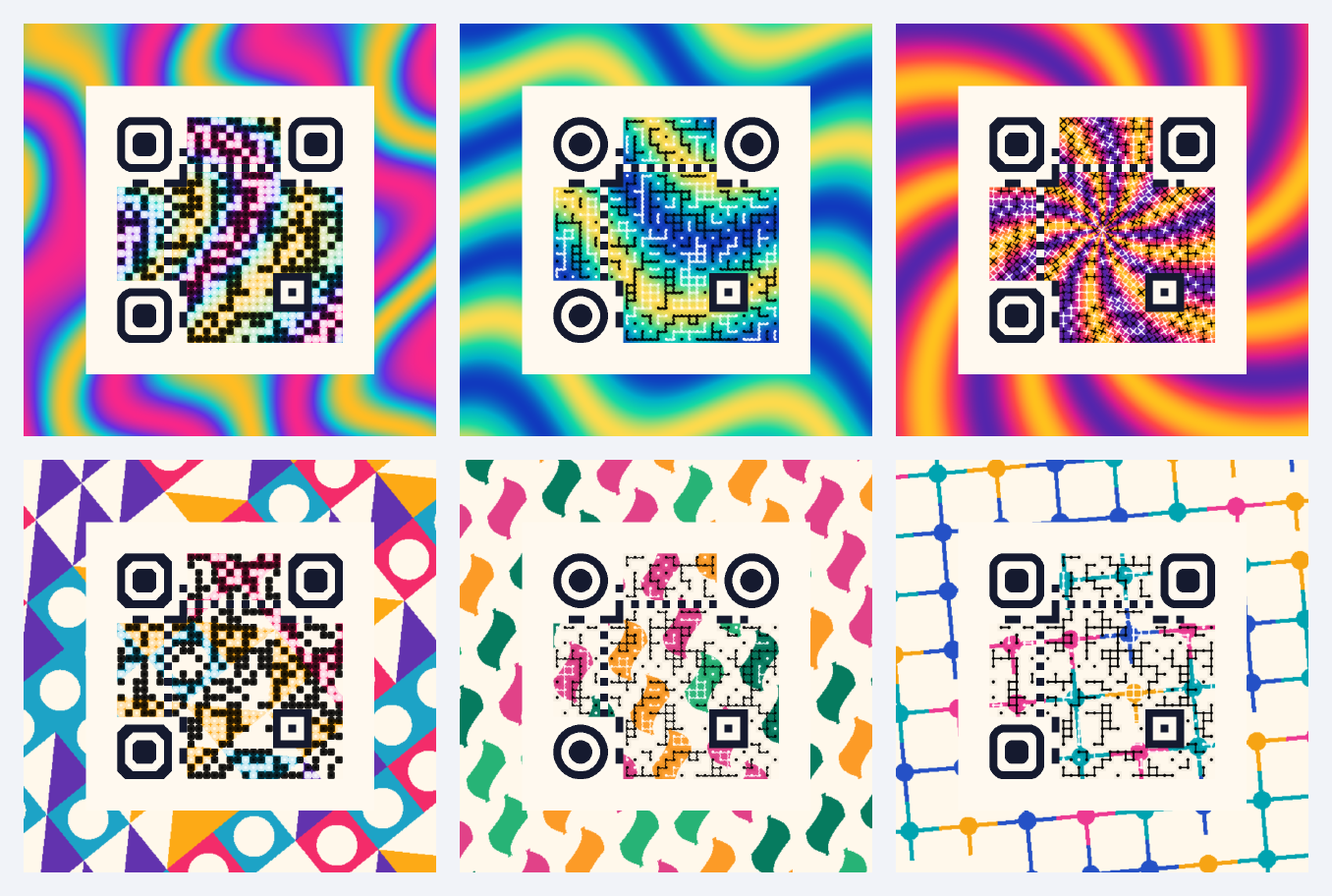
QrArt.ComposePattern creates artwork from geometry and a palette, with no source image, model, network request or graphics dependency. Choose Marble, Waves, Sunburst, Geometric, Botanical or Circuit; set the seed to reproduce the design. Pattern density, rotation, two to sixteen opaque palette colors, and the paper color are configurable. The paper color applies to the three tiled patterns.
The browser art studio starts with six colorful presets. Edit the seed, density, rotation, four palette colors and paper color, then compare alternatives. Treatment, finder frames, color strength, module scale, detail protection and export resolution are adjustable. Switch to an uploaded image for focal-region and mask controls, or add an illustrated frame for PNG and hybrid SVG exports. Each result retains its original payload for later delivery checks.
QrArtPatternPresets supplies editable palette and composition settings for each family. QrArt.RenderPatternPng renders the source artwork alone, so a preview and mask/layout search can use exactly the same pixels:
var pattern = QrArtPatternPresets.CreatePatternOptions(QrArtPattern.Marble, seed: 2026);
var composition = QrArtPatternPresets.CreateCompositionOptions(pattern.Pattern);
var sourcePng = QrArt.RenderPatternPng(pattern);
var alternatives = await QrArt.SearchImageAsync("https://example.com/art", sourcePng,
    new QrImageSearchOptions { Composition = composition });
var best = alternatives.Candidates[0];
best.Image.SavePng("marble-qr.png");
// Inspect best.Validation before distributing this export.
using CodeGlyphX;
using CodeGlyphX.Rendering.Art;
using CodeGlyphX.Rendering;
using CodeGlyphX.Rendering.Png;

var artwork = QrArt.ComposePattern("https://example.com/art",
    new QrArtPatternOptions {
        Pattern = QrArtPattern.Circuit,
        Seed = 2026,
        Scale = 1.2,
        RotationDegrees = 15,
        Colors = new[] { new Rgba32(20, 180, 200), new Rgba32(235, 40, 140) }
    },
    new QrImageCompositionOptions {
        ModuleSize = 18,
        Strength = 0.95,
        Canvas = new QrImageCanvasOptions { PaddingModules = 8 },
        Art = new QrImageArtOptions {
            Style = QrImageArtStyle.Circuit,
            Finders = QrImageFinderStyle.Chamfered
        }
    });
artwork.SavePng("circuit-qr.png");
var checks = QrArt.ValidateImage(artwork.ToPng(), "https://example.com/art");
Circuit joins matching neighboring data modules with angular traces and small junctions. CrossStitch draws diagonal thread pairs. Both work with uploaded images through the existing image composer as well as procedural patterns. Art.Finders also accepts Circular and Chamfered; the other functional patterns and uniform light quiet zone retain their protection. Existing enum values keep their numeric values.
The procedural-art example produces the six gallery designs and their PNG exports. Run it with CODEGLYPHX_PROCEDURAL_ART=1; CODEGLYPHX_OUTPUT_DIR selects the output folder. Each export checks the exact URL at its original size, half size and after light blur. These examples use 18 pixels per module, leaving nine after the half-size check. Busy art can lose readability at smaller sizes: validate the actual export and target devices before distributing it. Rendering is available on all supported targets; these scan checks use the modern .NET decoder, since the legacy image recognizer has limited art support. The gallery is a visual overview; use the individual exports for scanning.
Illustrated scenes and editable recipes
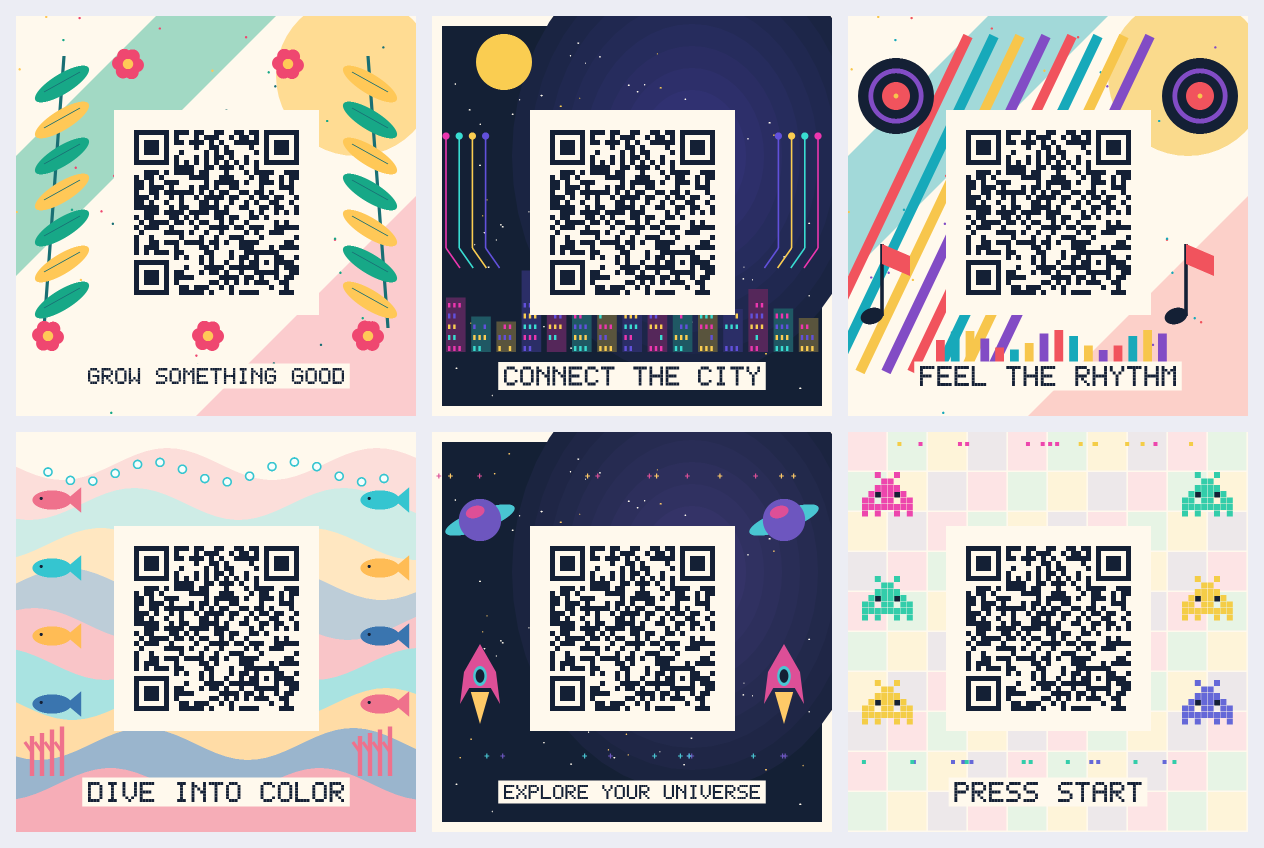
QrArt.ComposeScene draws complete posters from seeded geometry. Each scene has five editable layers: backdrop, illustrations, QR, caption and an optional logo. Move, scale, rotate or hide decorative layers; QR rotation uses quarter turns. The QR renders above the artwork with protected functional patterns and a complete four-module quiet zone. Placement that clips the QR is rejected.
using CodeGlyphX;
using CodeGlyphX.Rendering.Art;

var design = QrScenePresets.Create(QrSceneStyle.OceanReef, size: 1200);
design.Seed = 2026;
design.Caption = "DIVE INTO COLOR";
design.Motifs.RotationDegrees = 10;
var scene = QrArt.ComposeScene("https://example.com/scenes", design);
scene.SavePng("ocean-qr.png");
scene.ToRecipe().Save("ocean-design.cgxart");

var recipe = QrSceneRecipe.FromXml(File.ReadAllText("ocean-design.cgxart"));
QrArt.ComposeScene(recipe.Payload, recipe.Design).SavePng("ocean-reopened.png");
The browser art studio's Illustrated scene source offers six presets, palette and layer controls, logo upload, undo/reset, and recipe save/load. Downloaded results retain the payload and design used to render them. Editing controls does not change a completed export.
Recipes are versioned local XML documents capped at 2 MiB of text. They copy settings and any embedded logo, preserve UTF-8 payloads including control characters, and reject DTDs, external resources and unknown fields. Logo input is limited to 1 MiB and one million decoded pixels. Captions use the portable outlined font: Latin letters, digits, spaces and -./:()+?; lowercase letters render as capitals. Paper and QR ink must meet the documented light/dark luminance limits.
Run the scene-gallery example with CODEGLYPHX_SCENE_GALLERY=1 to export all six scenes, thumbnails and recipes. CODEGLYPHX_OUTPUT_DIR selects the output folder. Check the actual PNG with QrArt.ValidateImage and qualify delivery sizes and target devices before distribution; these software checks do not certify physical printing or phone cameras.
Scene exports and delivery sizes
Finished scenes export illustration polygons and caption outlines to SVG. QR contours follow the canonical PNG renderer's pixel reference grid, including connected modules and protected functional patterns. They remain vector paths at any zoom; fine contour steps reflect the selected reference resolution. Uploaded logos are normalized to bounded embedded PNGs. SVGs contain no external image or font references.
var print = scene.Export(new QrSceneExportOptions {
    WidthMillimeters = 100,
    Dpi = 300,
    PngCompressionLevel = 6
});
File.WriteAllBytes("scene-print.png", print.ToPng());
File.WriteAllText("scene-vector.svg", print.ToSvg());
File.WriteAllBytes("scene-print.pdf", print.ToPdf());
print.Scene.ToRecipe().Save("scene-print.cgxart");

var delivery = new QrImageDeliveryOptions { ScreenSize = 320, PrintMillimeters = 100, PrintDpi = 300 };
var report = QrArt.ValidateDelivery(print.ToPng(), print.Scene.Payload, delivery);
var selected = QrArt.SearchScene(print.Scene.Payload, print.Scene.Design,
    new QrSceneSearchOptions { MaxCandidates = 6, Delivery = delivery });
// selected.Best.Validation retains failed checks when no candidate passes them all.
Physical width (10–200 mm) and resolution (72–600 DPI) must produce a rounded 256–4096 pixel canvas. The export renders a fresh QR grid at that size. PNG records DPI as nearest-integer pixels per meter; physical size therefore has normal pixel and metadata rounding. Compression changes file size while preserving decoded pixels. PDF embeds the finished RGB artwork on a page of the stated physical dimensions; it is a raster PDF.
Delivery selection encodes the payload once and tries the original QR, two larger placements, and optional square data modules, stopping at the configured candidate limit or a complete pass. Equal scores keep the earlier design. Candidates with too few pixels per module or a clipped quiet zone are rejected; enlargement can recover a design that cannot initially render on a smaller grid. If no candidate can render within the limit, search throws an ArgumentException. The payload, illustrations, palette and seed are retained. The browser's Print and delivery panel offers these controls, a preview of the selected export, and downloads tied to the completed payload. Its report includes the exact PNG hash.
The delivery report checks the original, half-size, blur, requested screen width, print raster size, JPEG compression and perspective against the exact payload. It reports observed successes and failures within a recognition budget. It does not certify SVG/PDF viewer behavior, phones, cameras, paper, ink or printers. Qualify those final files independently at their actual delivery size. Use the physical qualification sheet to record that evidence.
Run the scene-delivery example with CODEGLYPHX_SCENE_DELIVERY=1 to export all six presets as physically sized PNG, SVG and PDF, with matching recipes and delivery observations.
Standards-aware QR encoding
QrCodeEncoder.EncodeText selects the smallest combination of numeric, alphanumeric, byte, and Kanji segments. UTF-8 ECI is emitted automatically when non-ASCII byte data needs it; QrEncodingOptions can force or suppress ECI and segment optimization.
QrCode unicode = QrCodeEncoder.EncodeText("Zażółć gęślą jaźń 😀");

QrCode gs1 = QrCodeEncoder.EncodeGs1(
    "010590123412345710ABC123\u001D2112345");

QrCode[] sequence = QrCodeEncoder.EncodeStructuredAppend(new[] {
    "ORDER-2026-",
    "LINE-0001",
    "LOT-ABC123"
});
Use \u001D between variable-length GS1 element strings. Structured append accepts two through sixteen explicit text or binary parts, computes the shared XOR parity, and exposes one-based QrStructuredAppend metadata after decoding. FNC1 second position and its 8-bit application indicator are available through QrEncodingOptions for industry-specific applications.
Standards-aware Data Matrix encoding
The historical square ECC 200 default remains unchanged. DataMatrixEncodingOptions can instead select the six original rectangular models, any of the eighteen ISO/IEC 21471 DMRE models, the smallest symbol across all families, or an exact supported size. Automatic encodation plans mixed ASCII, C40, Text, X12, EDIFACT, and Base256 runs rather than forcing the entire payload into one mode.
using CodeGlyphX.DataMatrix;

var compact = DataMatrixCode.Encode(
    "HELLO-UPPERCASE-lowercase-1234567890",
    new DataMatrixEncodingOptions { Shape = DataMatrixShape.Any });

var dmre = DataMatrixCode.Encode(
    "LOT-2026-0042",
    new DataMatrixEncodingOptions { Shape = DataMatrixShape.Dmre });

var exact = DataMatrixCode.Encode(
    "A",
    new DataMatrixEncodingOptions { Rows = 12, Columns = 88 });
GS1/FNC1, ECI, Macro 05/06, Reader Programming, and Data Matrix structured append are first-class controls. A structured-append file identifier consists of two values in the standard 1..254 range.
string elementString = "0109501101020917\u001D10LOT42";
var gs1 = DataMatrixCode.EncodeGs1(elementString);

var sequence = DataMatrixCode.EncodeStructuredAppend(
    new[] { "ORDER-2026", "LINE-0001", "LOT-ABC123" },
    fileId1: 7,
    fileId2: 9);

if (DataMatrixDecoder.TryDecodeDetailed(gs1.Modules, out DataMatrixDecoded decoded)) {
    Console.WriteLine($"GS1: {decoded.IsGs1}; model: {decoded.Rows}x{decoded.Columns}");
}
TryDecodeDetailed is available for module matrices and pixel buffers; DataMatrixCode.TryDecodePngDetailed preserves the same control metadata when decoding PNG input. Plain TryDecode continues to return only the reconstructed text.
Aztec text encoding
AztecCode.Encode(string) uses Latin-1 when the text fits, otherwise UTF-8 with ECI 26. Set AztecEncodeOptions.TextEncoding or EciAssignmentNumber for another supported character set. For byte input, EciAssignmentNumber describes the bytes supplied by the caller. Unsupported ECI assignments are rejected during text decoding rather than silently interpreted as Latin-1.
Official GS1 Application Identifier catalog
Gs1ApplicationIdentifierCatalog is generated from the GS1 Barcode Syntax Dictionary release 2026-01-27. It expands all assigned ranges into 541 directly addressable AIs and exposes titles, data components, separator rules, association/exclusion rules, and GS1 Digital Link metadata.
using CodeGlyphX;
using CodeGlyphX.Gs1Data;

Gs1ApplicationIdentifier lot =
    Gs1ApplicationIdentifierCatalog.Get("10");

Console.WriteLine($"{lot.Title}: {lot.Format}");
Console.WriteLine($"Dictionary: {Gs1ApplicationIdentifierCatalog.Release}");
Use Gs1.Validate when conformance matters. It accepts bracketed syntax and raw element strings, returns every parsed element and actionable issue in one pass, and applies all semantic rules referenced by this dictionary release—including check digits, dates and times, code lists, IBAN, AI associations, and coupon formats.
const string message =
    "(01)09506000134352(10)ABC123(17)240101";

Gs1ValidationResult validation = Gs1.Validate(message);
if (!validation.IsValid) {
    foreach (Gs1ValidationIssue issue in validation.Issues) {
        Console.WriteLine(issue);
    }
}

string elementString = Gs1Validator.ToElementString(message);
var dataMatrix = DataMatrixCode.EncodeGs1(elementString);
Gs1.ElementString remains the compatibility-oriented separator builder used by existing encoders: it accepts expert-defined and legacy fields. Gs1.Validate, Gs1.TryValidate, and Gs1Validator.ToElementString are the strict entry points for standards-sensitive workflows.
The same catalog and semantic validator power the uncompressed GS1 Digital Link URI Syntax 1.6.0 engine. It parses custom or reference URI stems, keeps key qualifiers in the standards-defined path order, validates GS1 query attributes, retains non-GS1 extension parameters, and produces a canonical https://id.gs1.org URI.
Gs1DigitalLinkUri parsed = Gs1DigitalLink.Parse(
    "https://brand.example/01/09520123456788/10/ABC1/21/12345?17=180426");

Console.WriteLine(parsed.PrimaryIdentifier); // (01)09520123456788
Console.WriteLine(parsed.CanonicalUri);
Console.WriteLine(parsed.ToElementString());

Gs1DigitalLinkUri canonical = Gs1DigitalLink.BuildCanonical(new[] {
    Gs1Element.Create("01", "09520123456788"),
    Gs1Element.Create("10", "ABC1"),
    Gs1Element.Create("21", "12345"),
    Gs1Element.Create("17", "180426")
});
URI compression and online resolver behavior are separate GS1 standards; this API deliberately implements the uncompressed URI syntax without network access.
Industrial and logistics symbols
The industrial codecs expose detailed symbols and decoded metadata while still participating in the unified module-matrix facades:
RmQrCode rackLabel = RmQrCodeEncoder.EncodeText("RACK-A17-BIN-04");
MaxiCodeSymbol shipment = MaxiCodeEncoder.EncodeText("SHIPMENT-2026-0042");
DotCodeSymbol trace = DotCodeEncoder.EncodeGs1("(01)09506000134352(21)ABC123");
HanXinSymbol hanXin = HanXinEncoder.EncodeText("物流-2026-0042");

Barcode1D limited = BarcodeEncoder.Encode(
    BarcodeType.GS1DataBarLimited,
    "1234567890123");

Gs1CompositeSymbol composite = Gs1CompositeEncoder.Encode(
    linearText: "(01)09506000134352",
    compositeText: "(21)ABC123");
The GS1 Composite implementation currently pairs a GS1-128 carrier with CC-A, CC-B, or CC-C and uses the standards-defined general-field method. EAN/UPC/DataBar carriers and the optimized date/AI 90 methods are future work. Han Xin text outside its native compact modes is encoded as binary data with UTF-8 ECI; native GB18030 region compaction is not yet implemented.
rMQR, MaxiCode, DotCode, Han Xin, and GS1 Composite currently support encoding and decoding of sampled modules. GS1 DataBar Limited and Omnidirectional also participate in the unified linear image scanner; the stacked DataBar variants remain module-only. SymbolCapabilities reports these boundaries directly. Direct-part-mark preprocessing is opt-in for formats the image scanner already recognizes:
ScanResult scan = SymbolScanner.Scan(image, new ScanOptions
{
    Formats = new[] { SymbolFormat.DataMatrix },
    DirectPartMarking = DirectPartMarkOptions.LaserEtch()
});
The DPM profiles improve local contrast or reconnect dot-peen marks before recognition. They do not grade print quality, certify ISO/IEC 29158 compliance, or replace validation with the actual marking process and scanners used in production.
Decode an image
byte[] image = File.ReadAllBytes("qrcode.png");

if (QrImageDecoder.TryDecodeImage(
        image,
        QrPixelDecodeOptions.Screen(budgetMilliseconds: 500, maxDimension: 1600),
        out var result)) {
    Console.WriteLine(result.Text);
}
Use SymbolScanner when the application needs one coherent result model across QR, Micro QR, barcodes, Data Matrix, PDF417, and Aztec:
var scan = SymbolScanner.Scan(image, ScanOptions.Screen(
    timeoutMilliseconds: 500,
    maxDimension: 1600));

foreach (var symbol in scan.Symbols)
{
    Console.WriteLine($"{symbol.Format}: {symbol.Text}");
}
ScanOptions.TimeoutMilliseconds is a total wall-clock deadline covering compressed-image decoding, pixel conversion, and recognition. Decoder cancellation remains cooperative, so it is not a hard real-time guarantee. Use ScanOptions.Formats and ScanOptions.Region to avoid work the application does not need.
Micro QR can also be recognized directly from RGBA/BGRA pixels or an encoded image. The detailed overload reports the detected quadrilateral, rotation, polarity, and mirroring state:
if (MicroQrDecoder.TryDecodeImage(
        image,
        out MicroQrDecoded micro,
        out MicroQrPixelDecodeInfo recognition)) {
    Console.WriteLine($"{micro.Text} at {recognition.Geometry.Bounds}");
}
Raw camera or interop buffers can be passed without an image-codec dependency:
var frame = new ImageFrame(
    pixels,
    width,
    height,
    stride,
    PixelFormat.Gray8);

ScanResult scan = SymbolScanner.Scan(frame, new ScanOptions
{
    Formats = new[] { SymbolFormat.QrCode, SymbolFormat.DataMatrix }
});
ImageFrame accepts RGBA/BGRA, RGB/BGR24, ARGB/ABGR, Gray8/Gray16, and RGB565 buffers, including padded stride and bottom-up row order. The generated symbol capability table distinguishes encoding, module decoding, and image recognition for every format.
For untrusted raster inputs, set explicit resource limits:
using CodeGlyphX.Rendering;

var limits = ImageDecodeOptions.Strict(
    maxBytes: 8 * 1024 * 1024,
    maxPixels: 8_000_000,
    maxDimension: 1600);

byte[] rgba = ImageReader.DecodeRgba32(image, limits, out int width, out int height);
Limit semantics are deliberate:
MaxBytesandMaxPixels:nulluses the correspondingImageReaderglobal;0disables that per-call limit.MaxDecodedBytes: caps each decoded pixel or raster working buffer and the total retained animation frame pixels. The global default is 256 MiB. Encoded input copies, codec metadata, total process memory and cumulative allocations are outside this limit.nullinherits the global;0disables it.GuardedandStrictderive a decoded byte limit of 16 bytes per permitted pixel, capped at 256 MiB. SetMaxDecodedBytesexplicitly when a legal codec buffer, such as a padded TIFF tile, needs more room. PDF filters also reject output larger than the declared raster requires.MaxDimension: codecs validate the original dimensions first, then the single-image RGBA result is resized. It is not a codec-memory limit.RecognitionBudgetMilliseconds: applies to specialist barcode/matrix recognition after raster decoding. UseScanOptions.TimeoutMillisecondsfor one deadline across image decoding and all selected symbol families.ImageReader.LimitViolation: reports guard failures for telemetry.
Use SymbolScanner.Scan, ScanFile or stream/file async variants to select formats and apply a timeout to the complete scan. CompletionReason distinguishes completion, a symbol limit, cancellation and a deadline while retaining partial results. Format-specific information is exposed through typed Metadata; HasRawBytes indicates whether exact decoded bytes are available.
See SECURITY.md for reporting and FUZZING.md for the bounded decoder harness.
Targets and dependencies
| Target | Intended use | Package dependencies |
|---|---|---|
net8.0 |
Current applications, full QR pixel pipeline, trimming/NativeAOT | None |
net10.0 |
Current applications, full QR pixel pipeline, trimming/NativeAOT | None |
netstandard2.0 |
Legacy-compatible libraries | System.Memory, System.Text.Encoding.CodePages |
net472 |
.NET Framework applications | System.Memory, System.Text.Encoding.CodePages |
The package is pure managed on every target. QR image decoding on netstandard2.0 and net472 uses a less capable fallback intended for clean/generated images; use net8.0 or newer for screenshots, stylized codes, and the full pixel pipeline.
CI builds and tests Windows, Linux, and macOS; builds the complete solution on Windows; packs and inspects the NuGet and symbol packages; and publishes and executes a net8.0 NativeAOT consumer.
Codec limits worth knowing
ImageReader.DecodeRgba32returns the first frame for GIF and WebP. Use the animation APIs for multiple frames.- Managed WebP supports VP8/VP8L still images. Unsupported VP8 animation interframes fail decoding; the library does not fabricate a transparent or repeated frame.
- PDF raster decoding is intentionally limited to supported embedded-image cases; PDF is primarily an output format.
- PSD decoding is limited to flattened 8-bit grayscale/RGB raw or RLE image data.
Version 2 migration
Version 2 removes the obsolete per-format method explosion and duplicate facades. Use generic Render(..., OutputFormat) and extension-based Save(...) APIs. It also makes decode-limit inheritance explicit, collapses QR decoding to one cooperative budget, and replaces unprovable “safe” claims with honest heuristic and guardrail terminology.
See the 2.0 migration guide for mappings and behavioral changes.
Build and validate
dotnet build CodeGlyphX.sln -c Release
dotnet test CodeGlyphX.Tests/CodeGlyphX.Tests.csproj -c Release -f net8.0
dotnet test CodeGlyphX.Tests/CodeGlyphX.Tests.csproj -c Release -f net10.0
dotnet pack CodeGlyphX/CodeGlyphX.csproj -c Release -o artifacts/packages
./Build/Assert-Package.ps1 -PackageDirectory artifacts/packages
Run the examples with:
dotnet run --project CodeGlyphX.Examples -c Release
License
CodeGlyphX is licensed under the Apache License 2.0. See third-party notices for incorporated standards resources.
| Product | Versions Compatible and additional computed target framework versions. |
|---|---|
| .NET | net5.0 was computed. net5.0-windows was computed. net6.0 was computed. net6.0-android was computed. net6.0-ios was computed. net6.0-maccatalyst was computed. net6.0-macos was computed. net6.0-tvos was computed. net6.0-windows was computed. net7.0 was computed. net7.0-android was computed. net7.0-ios was computed. net7.0-maccatalyst was computed. net7.0-macos was computed. net7.0-tvos was computed. net7.0-windows was computed. net8.0 is compatible. net8.0-android was computed. net8.0-browser was computed. net8.0-ios was computed. net8.0-maccatalyst was computed. net8.0-macos was computed. net8.0-tvos was computed. net8.0-windows was computed. net9.0 was computed. net9.0-android was computed. net9.0-browser was computed. net9.0-ios was computed. net9.0-maccatalyst was computed. net9.0-macos was computed. net9.0-tvos was computed. net9.0-windows was computed. net10.0 is compatible. net10.0-android was computed. net10.0-browser was computed. net10.0-ios was computed. net10.0-maccatalyst was computed. net10.0-macos was computed. net10.0-tvos was computed. net10.0-windows was computed. |
| .NET Core | netcoreapp2.0 was computed. netcoreapp2.1 was computed. netcoreapp2.2 was computed. netcoreapp3.0 was computed. netcoreapp3.1 was computed. |
| .NET Standard | netstandard2.0 is compatible. netstandard2.1 was computed. |
| .NET Framework | net461 was computed. net462 was computed. net463 was computed. net47 was computed. net471 was computed. net472 is compatible. net48 was computed. net481 was computed. |
| MonoAndroid | monoandroid was computed. |
| MonoMac | monomac was computed. |
| MonoTouch | monotouch was computed. |
| Tizen | tizen40 was computed. tizen60 was computed. |
| Xamarin.iOS | xamarinios was computed. |
| Xamarin.Mac | xamarinmac was computed. |
| Xamarin.TVOS | xamarintvos was computed. |
| Xamarin.WatchOS | xamarinwatchos was computed. |
-
.NETFramework 4.7.2
- System.Memory (>= 4.6.3)
- System.Text.Encoding.CodePages (>= 10.0.12)
-
.NETStandard 2.0
- System.Memory (>= 4.6.3)
- System.Text.Encoding.CodePages (>= 10.0.12)
-
net10.0
- No dependencies.
-
net8.0
- No dependencies.
NuGet packages (3)
Showing the top 3 NuGet packages that depend on CodeGlyphX:
| Package | Downloads |
|---|---|
|
OfficeIMO.Drawing.CodeGlyphX
Optional typed bridge from CodeGlyphX symbols to OfficeIMO.Drawing scenes. |
|
|
ImagePlayground.BarCode
Barcode generation and reading APIs for ImagePlayground, powered by CodeGlyphX. |
|
|
ImagePlayground.QRCode
QR code generation and reading APIs for ImagePlayground, powered by CodeGlyphX. |
GitHub repositories (2)
Showing the top 2 popular GitHub repositories that depend on CodeGlyphX:
| Repository | Stars |
|---|---|
|
guitarrapc/FeatherQR
High-performance QR code generator/reader with renderes support
|
|
|
EvotecIT/ImagePlayground
ImagePlayground is a PowerShell module that provides a set of functions for image processing. Among other things it can create QRCodes, BarCodes, Charts, and do image processing that can help with daily tasks.
|